


Nail salon payment processing for tips, deposits and walk-ins
Nail salon payment processing from RapidCents covers the front desk, phone bookings and pay-by-link deposits. You take services on countertop terminals, add tips at checkout, collect deposits by payment link and bill memberships or packages with recurring payments. RapidBridge and APPIE connect it to the booking software you already run.

- PCI DSS Level 1
- SOC 2 Type II
- All major cards: Visa, Mastercard, Amex, Discover, UnionPay, Diners Club & PIN Debit
- Interchange-plus available
- Specialist onboarding support
How nail salons get paid
Nail salons get paid at the front desk after each service, by deposit before a booked appointment, with a tip added at checkout, and on a schedule for memberships. Each job has its own trigger, its own exception and its own record for the owner.
Walk-in and booked service checkout
A client finishes a manicure or pedicure and pays at the front desk. Staff run the sale on a countertop terminal by tap or insert, add the tip, and print or send the receipt. A refund for a redo runs from the same terminal.
Appointment deposits
A client books a full set or a group pedicure and pays a deposit first. Staff send a payment link by SMS or email, the client pays on their phone, and the deposit is matched to the booking reference. Late cancellations follow your posted terms.
Tips and technician splits
The client adds a gratuity at checkout, and the sale is tied to the technician who did the service. The owner reads sales and tip totals by technician afterwards. That report supports your payroll process, but it is not payroll.
Memberships and retail add-ons
A regular client joins a monthly pedicure membership, or buys cuticle oil and polish with the service. Memberships bill on a recurring schedule against a card the client authorized, while retail items ring up in the same checkout.
How do nail salons collect appointment deposits and handle no-shows?
Nail salons collect appointment deposits by sending a payment link when the booking is made, then applying the deposit to the final bill. Set your deposit and cancellation terms before you send the first link, and keep the booking reference on every payment so the front desk can match them.
How a deposit runs
The front desk books a full set, and the client receives a Payment Links message by SMS or email with the deposit amount and the booking reference. The client pays on a mobile page, a receipt follows, and the deposit shows as paid in the Merchant Dashboard.
What to set up first
Write your deposit terms where the client sees them before paying: the amount, whether it applies to the final bill, the cancellation window and what happens to a late arrival. Terms agreed in advance make a refund or a kept deposit easier to explain if a client disputes the charge.
A $25 gel set, rescheduled
Say a client books a gel set with a $25 deposit, then reschedules inside your window. You keep the deposit under your posted terms, send a new link for the new slot and note the reason on the booking. If the client disputes the first charge, your terms and the link receipt are your evidence.
How do nail salons take tips at checkout and report them by technician?
Nail salons take tips at checkout by adding a gratuity to the sale on the terminal, then tying the sale to the technician who did the work. Choose the tip prompt on your terminal and the technician field in your booking software, and your reports follow your team.
How a tip is added
A client taps a card on the countertop terminal, the tip is added before the sale completes, and the receipt shows service and gratuity separately. Your RapidCents representative will walk you through the tip prompts your terminal model offers, such as preset choices or a custom amount.
Tagging each sale to a technician
Decide how you tag each sale: a staff code at checkout, a field in your booking software or a reference on the transaction. Reports only separate technicians when that field is filled in on every sale, so make it a front desk habit from the first day.
A client who sees two technicians
Say a three-technician salon closes the day and exports sales and tips by technician. One client paid for two technicians' services on one card, so staff split the reference by line. The report feeds your payroll process, but it is not payroll and does not set commissions or tip pooling.
RapidCents products for nail salons
Countertop Terminals handle nail salon POS payments at the front desk, taking walk-in sales and tips, Payment Links collect deposits, Customer Profiles keep a client's saved cards and history together, and Recurring Payments bill memberships on an agreed schedule.

A fixed RapidCents countertop terminal taking card payments at the till, with settlement visible on the dashboard. Countertop Terminals
RapidCents countertop terminals sit at retail counters, restaurant hosts and reception desks where speed and…
Explore
The RapidCents payment links screen listing created links with their amount, status, click count and whether they have been paid, beside a phone showing the branded page a customer opens to pay $2,500.00. Payment Links
RapidCents payment links let staff generate branded pay-by-link URLs for invoices, deposits, balances and…
Explore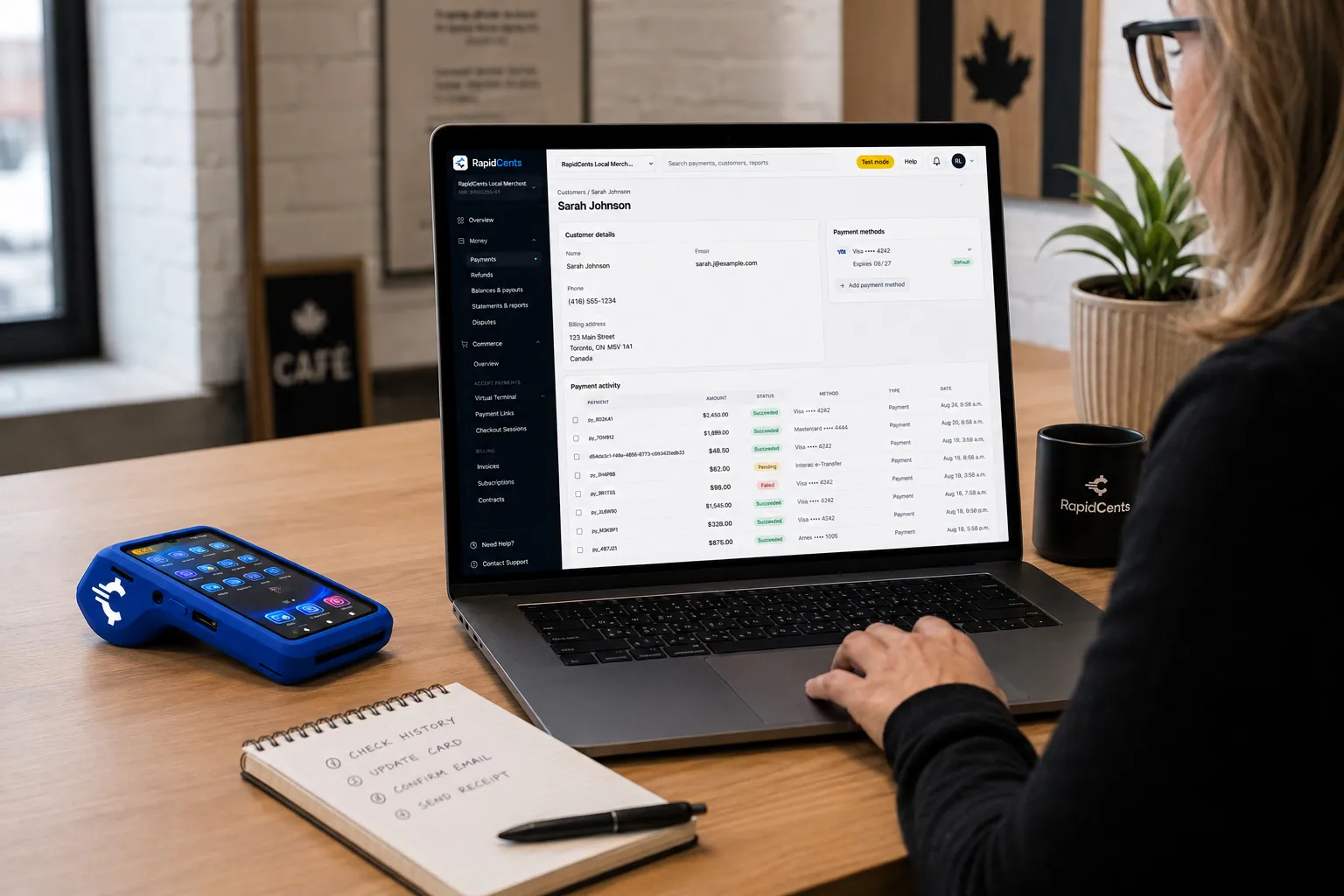
A RapidCents customer profile holds saved cards and invoices, so a return visit can be charged without re-keying the card. Customer Profiles
A customer profile ties together transactions, stored payment methods, subscriptions and disputes so staff…
Explore
The RapidCents recurring payments screen showing active subscriptions, monthly recurring revenue, failed payments and upcoming renewals, above a list of subscriptions with their plan, amount, frequency and next billing date. Recurring Payments
RapidCents recurring payments manage subscription plans, membership renewals and installment schedules with…
Explore


How do nail salons bill memberships, packages and retail add-ons?
Nail salons bill memberships and prepaid packages by saving the client's card with their authorization and charging on an agreed schedule, while retail add-ons ring up in the same checkout as the service. Agree the amount, timing and cancellation terms with the client first.
How a membership runs
A client joins a monthly pedicure membership. Staff save the card in a Customer Profile, set the schedule in Recurring Payments, and the client is notified before each charge. A card that fails is retried and then followed up by staff, with the profile showing the history.
What to set up first
Get the client's agreement to the amount, the billing day and how to cancel, and record it before the first charge. A stored card without that authorization invites a dispute. A paused membership should stop the schedule, not just the visits. The schedule collects what was agreed and is not financing.
Five manicures paid up front
Say a client pays for five manicures up front, uses three and moves away. You apply your written package terms to the unused visits and refund the agreed amount to the original card. Polish bought at the same visit rings up in the same checkout.
What drives nail salon processing fees and how do you compare them?
Nail salon processing fees depend on card type, how the card is taken and how many keyed or online deposits you run. RapidCents prices on interchange-plus: interchange at cost, your RapidCents markup in your Fee Schedule, and fees for equipment or services if applicable, month to month with no fixed term.
Card mix and how cards are taken
A nail salon credit card machine takes most of your volume as tapped or inserted cards at the counter, which are taken differently from a keyed card or an online deposit. Debit, credit, premium and commercial cards each carry different interchange, set by the card networks and passed through at cost.
What to bring to a comparison
Bring recent processing statements, your average service ticket, the split between counter, link and recurring payments, your tip share, and refund and dispute counts. A salon with many small deposits looks different from one with large walk-in tickets, and the comparison should show that.
Use Fee Check, then compare quotes
Upload a statement to Fee Check to see interchange separated from markup. Then compare written nail salon merchant services quotes line by line, including equipment fees, and ask what is month to month. Keep each quote next to your Fee Schedule when you decide.
Will your booking software work with RapidCents?
RapidCents integrates with many major business platforms through APPIE and RapidBridge, and the right option depends on your software vendor and version. RapidBridge works with Fresha, Vagaro, Boulevard and Zenoti, and settled transactions, fees and refunds connect to QuickBooks Online and Xero. Your RapidCents representative will walk you through the options.
Fresha
RapidBridge works with Fresha, so a card payment posts against the booking you already have open, without changing the software your front desk uses every day. Your RapidCents representative will show you how deposits and receipts line up.
Vagaro
RapidBridge works with Vagaro, so checkout, tips and memberships can run with RapidCents payments inside the software your team already knows. Your RapidCents representative will walk you through how each one connects for your plan.
Booksy
RapidCents integrates with many major platforms through APPIE and RapidBridge, so most salons keep the booking software they run today. The exact option depends on your vendor and version. Tell your RapidCents representative you use Booksy, and they will show you how deposits and card-on-file payments connect.
Boulevard
RapidBridge works with Boulevard, so your salon management software keeps running as it does now while card payments post against the visit. Your RapidCents representative will walk you through how appointments and payment references match up.
Zenoti
RapidBridge works with Zenoti, which suits salons and spas with several locations. Your RapidCents representative will show you how each location's payments and technician fields map, so reports stay clear across the group.
Payment options for nail salons by country
RapidCents serves merchants in Canada and the United States. The payment methods, bank-payment options and settlement currency a nail salon can use follow the country of its merchant account, and your RapidCents representative will walk you through yours.
What stays the same
Cards at the counter, payment links for deposits and saved cards for memberships work the same way for the salon owner in either country. The card networks and bank rails behind them differ.
What follows your country
Tax lines on receipts, rules for deposits and tips and the currency you are paid in follow your country. Your RapidCents representative will walk you through them, and your accountant sets the tax treatment.
How do you switch nail salon processors and reconcile deposits?
Switching a nail salon to RapidCents is a sequence: list what is stored and scheduled, test one sale, one refund and one deposit, run both setups briefly, then reconcile deposits to your books. Stored cards do not move on their own, so both providers must agree before any card data transfers.
Inventory what is stored
Once your account is approved, list every saved card, membership schedule, package balance and open deposit, and note which clients authorized each card. Clients without a clear authorization should be asked again at their next visit instead of being moved across.
Test before you go live
Test a counter sale with a tip, a refund for a redo, a deposit by payment link and a membership charge. Run both providers side by side briefly if you can, and map booking references to payment references.
Reconcile deposits to the books
Reconcile each day's deposits to your books and to your booking software. Settled transactions, fees and refunds connect to QuickBooks Online or Xero, and your bookkeeper can follow every deposit. Keep old statements for dispute and year-end records.
Payment questions from nail salons
What is the best payment processor for a nail salon?
There is no single best processor, so compare against how your salon takes payments. Look at the in-person terminal and tip flow, deposit links, saved-card memberships, technician reporting, dispute tools, support and the pricing model. Ask each provider for a written quote and compare them line by line using your own statements, including equipment fees and whether the term is month to month.
How much does credit card processing cost for a nail salon?
Cost depends on your card mix and how cards are taken, so no honest number applies to every salon. RapidCents prices every account on interchange-plus: interchange at cost, your RapidCents markup in your Fee Schedule, and fees for equipment or services if applicable, month to month with no fixed term. Upload a statement to Fee Check to see the split.
Can my booking software use RapidCents as its payment processor?
RapidCents integrates with many major platforms through APPIE and RapidBridge, and RapidBridge works with Fresha, Vagaro, Boulevard and Zenoti. The exact option depends on your software vendor and version. Tell your RapidCents representative which system you use, and they will show you how payments, deposits and receipts connect to it.
How can a nail salon switch processors without losing client payment history?
List every saved card, membership, package balance and open deposit first, then test a sale, a refund and a deposit on the new setup before moving live traffic. Stored cards do not transfer on their own: both providers must agree to move them, and clients may need to authorize again. Keep old statements and reconcile deposits against your books.
Which payment options are available to nail salons by country?
Nail salons can accept major cards at the counter, send payment links for deposits and bill memberships on stored cards in both places RapidCents serves, Canada and the United States. Bank-payment options and settlement currency depend on the country of the merchant account. Your RapidCents representative will walk you through what applies to yours.
Can clients add a tip at checkout on a nail salon terminal?
Yes, RapidCents countertop terminals run sales and tips at the counter, with preset choices or a custom amount depending on your terminal model. Your RapidCents representative will show you how a tip added after the sale is adjusted. Decide before launch how each tip is tied to a technician so reports match what you pay out.
Can a nail salon collect an appointment deposit?
Yes, you can send a payment link by SMS or email for the deposit when the booking is made. If your booking software is connected through RapidBridge, the deposit posts against the booking. Otherwise staff match it by booking reference. Refunds follow the cancellation terms you published, so write them before you send the first link.
Can nail salon payments be reported by technician?
Yes, as long as each sale carries the right field. RapidCents reporting shows transactions, and a staff code or reference on each sale lets you group them by technician. Your RapidCents representative will help you choose the staff and service fields to capture. The report supports your payroll process, but it is not payroll, commissions or tip pooling.
How do nail salons bill memberships and prepaid packages?
Get the client's authorization for amount, timing and cancellation, save the card in a Customer Profile and set the schedule in Recurring Payments. The client is notified before each charge, and a failed card is retried and followed up by staff. A schedule collects what was agreed and is not financing. Package balances usually stay in your booking software.
Can a nail salon sell retail products with a service in one checkout?
Yes, a countertop terminal takes one payment for the service, the tip and retail items such as polish or cuticle oil. Whether each line appears separately in your booking or inventory software depends on that software, and your RapidCents representative can walk you through it. Refund a single item to the original card instead of voiding the whole visit.
What MCC is used for nail salons?
MCC 7230 is commonly associated with this type of business. Your RapidCents representative will set the right merchant category with you based on what your salon actually sells, such as services alone or services plus retail products. Tell them about any other lines you run so the account matches how you really take payments.
Related industries for nail salons
Salons & Spas is the parent industry for chair rental, packages and retail checkout, and Mobile Beauty covers technicians who travel to clients. Both share the deposit, tip and saved-card workflows that nail salons use.
Salons & Spas
Take booking deposits, charge no-show fees to cards clients agreed to store, collect tips…
Mobile Beauty Professionals
Take travel deposits, bridal-party payments and on-site cards at the client's door, with…
Healthcare
Take visit payments at reception, send payment links for what insurance leaves unpaid and…
Dental Clinics
Take treatment plan deposits at the front desk or by text, run in-house installment plans…
Physio & Chiropractic
Collect visit fees and patient portions at the front desk or in the treatment room, sell…
Veterinary Clinics
Take deposits when owners sign surgery estimates, charge wellness plans monthly with…
Pharmacies
Collect the patient portion once your dispensing system has adjudicated the claim, ring…
Medical Spas
Collect treatment package deposits, bill monthly memberships and ring up retail at…
Take the next step
Review your nail salon payment setup
Upload a recent processing statement to Fee Check and see interchange separated from your markup, using your own walk-in, deposit and membership mix.
- No obligation
- Payment specialists, not a call centre
- Secure statement upload



