


Recurring billing and field payments for pest control
Pest control is a subscription with a truck attached: quarterly visits billed on a service plan, plus emergency callouts paid on the spot. RapidCents charges the plan on recurring payments, keeps the card current through account updater so a route stays on schedule through expiry and reissue, invoices the one-off treatments, and lets the technician take Tap to Pay at the door. Pest control processes under MCC 7342.

- PCI DSS Level 1
- SOC 2 Type II
- All major card brands: Visa · Mastercard · Amex · Discover · PIN debit
- Interchange-plus available
- Specialist onboarding support
Operational workflows
Property inspected and a treatment plan priced
Quarterly plan set up on a saved card
Scheduled visits charged after each treatment
Emergency callouts tapped at the door
Payment challenges
A plan card that expires between visits
Months pass between quarterly treatments, so a reissued card is only discovered once the technician has already sprayed.
The callout that cannot wait for an invoice
A wasp nest or a rodent job is booked same day, and the technician needs to take payment at the door before the truck moves on.
Warranty re-treats beside billable work
A free follow-up included in the plan and a new billable infestation happen at the same address, so the visit has to be priced on the doorstep.
Choose the right payment setup for Pest Control
Choose pest control payment processing
For Pest Control, map sign-up, scheduled billing, and renewal, the field and customer visits, and the counter or service point before choosing a setup. Select channels that match those moments, then confirm that the chosen solution genuinely covers each channel.
Payment hardware for Pest Control
For Pest Control, prioritize a portable payment terminal when payment happens away from a fixed counter. If staff also collect at a desk, assess a separate countertop setup instead of forcing one device to cover two jobs.
Compare payment processing fees
For Pest Control, request a written fee breakdown covering scheduled billing, declined cards, and cancellations and device use in the field. Compare the effective cost across the real card and channel mix; do not choose on a headline rate alone.
Set up or switch Pest Control payments
To set up Pest Control payments, document testing the field workflow, confirm compatibility before purchase, then test a real payment flow before going live.
Recommended products

The RapidCents recurring payments screen showing active subscriptions, monthly recurring revenue, failed payments and upcoming renewals, above a list of subscriptions with their plan, amount, frequency and next billing date. Recurring Payments
RapidCents recurring payments manage subscription plans, membership renewals and installment schedules with…
Explore
A café worker holds a phone running RapidCents Tap to Pay, showing an $18.75 sale and the contactless symbol, while a customer holds a Visa card to the screen. No separate card reader is present. Tap to Pay
RapidCents Tap to Pay turns supported iPhones and Android devices into contactless payment terminals without…
Explore
The RapidCents invoices screen: outstanding, overdue, paid and draft totals across the top, the invoice list below them, and a preview of one invoice on the right with its line items and a View & Record Payment button. Invoicing
RapidCents invoicing helps professional services, contractors and B2B suppliers create branded invoices…
Explore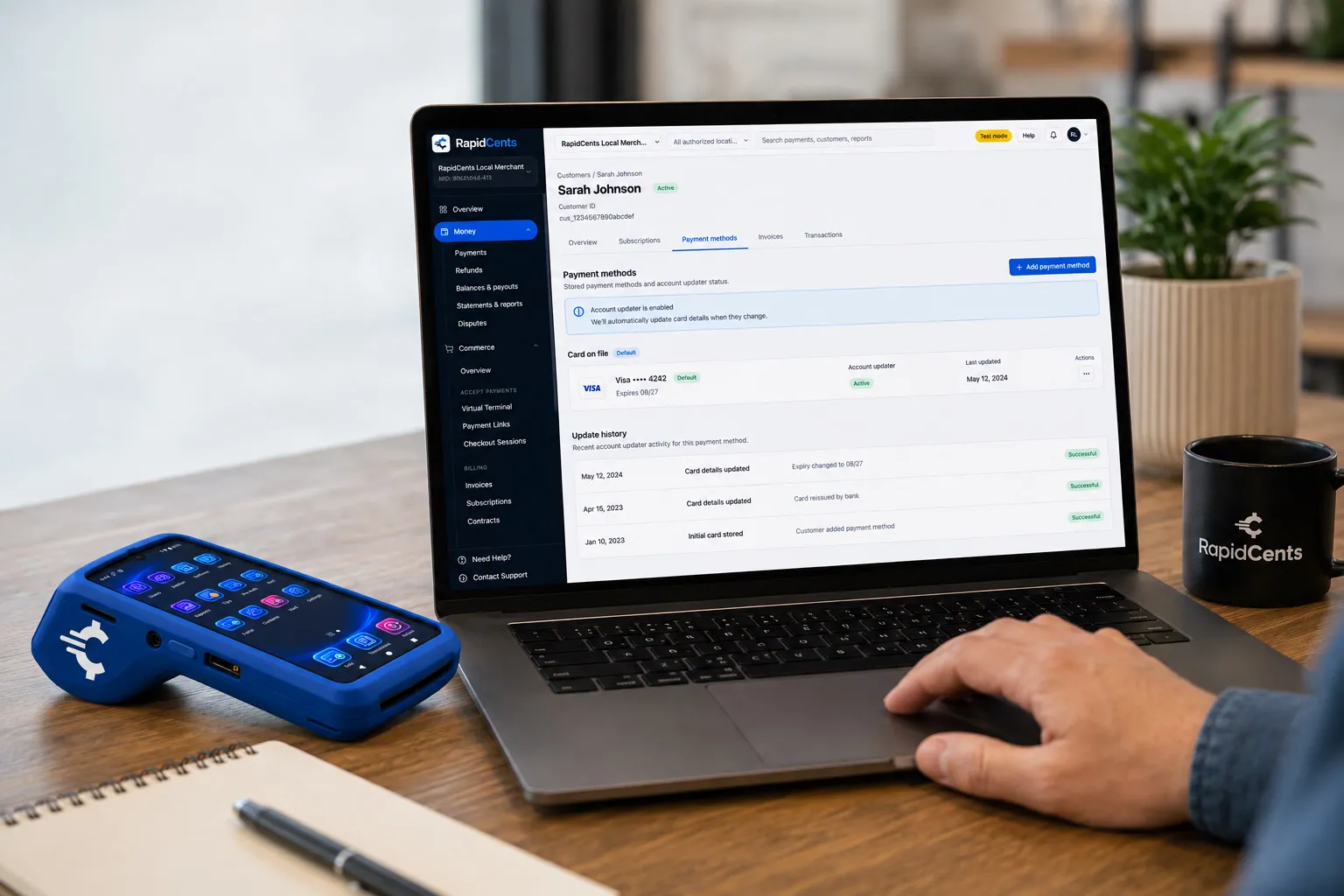
RapidCents refreshes a stored card after a reissue, so the vaulted credential keeps working without asking the customer again. Account Updater
Cards expire, get reissued and get replaced after fraud. Account Updater refreshes stored credentials with…
Explore


How this gets set up
Plan signed, card stored once
A homeowner or property manager signs a quarterly plan and the card is vaulted at that point, so the next three visits need no payment conversation at the door.
Quarterly visits billed on schedule
Recurring payments charge the plan on its own dates, whether or not the technician remembered to raise an invoice after the treatment.
Emergency callouts paid at the door
A wasp nest or a bed-bug call sits outside the plan, so the technician takes it with Tap to Pay before leaving the property.
Reissued cards fixed before the route runs
The account updater refreshes a stored card that has been replaced, so a truck does not complete a stop that can never be billed.
Integrations
PestPac
PestPac holds the service agreement, the route and the treatment history, so a recurring charge posted against that agreement matches the visit that earned it.
Jobber
Jobber schedules the one-off callouts, and the payment the technician takes at the door closes the Jobber job before the truck moves on.
QuickBooks
QuickBooks receives quarterly plan revenue and callout invoices as separate income, so plan billing paid ahead is not mixed in with cash emergency work.
Operations, security and going live
Follow-ups are a routing problem
Reporting lists charges that still need a person by account and by service date, which is how a scheduler learns a property was treated but still needs billing completed.
Plan revenue apart from callout revenue
Recurring plan billing and one-off treatments report separately, because renewal rate and emergency volume are two different numbers to manage.
Months of stored cards, contained
Every plan means holding a card for a year; keeping it as a vault token rather than on a technician's tablet is what keeps that stored-card exposure off your own systems.
Migrating plans without a double charge
Existing plan customers are loaded with their next charge date, so nobody is billed twice in one quarter or skipped for one.
Payment questions from Pest Control
What should businesses compare when choosing pest control payment processing for Pest Control?
Compare pest control payment processing against the real payment journey: sign-up, scheduled billing, and renewal, the field and customer visits, and the counter or service point. Start with the required channels and hardware, then confirm compatibility and support before committing.
What payment hardware is practical for Pest Control?
Because Pest Control also collects away from a fixed counter, test a portable terminal in real conditions. If staff also collect at a desk, validate the need for a separate countertop setup.
Which payment channels are relevant for Pest Control?
For Pest Control, start with sign-up, scheduled billing, and renewal, the field and customer visits, and the counter or service point. Keep only the channels that match those moments, then verify the complete customer flow before offering them.
How should payment processing fees be evaluated for Pest Control?
For Pest Control, compare costs related to scheduled billing, declined cards, and cancellations and device use in the field using actual transactions. Request a written breakdown of fees and terms rather than relying on an advertised rate alone.
What should be confirmed before setting up payments for Pest Control?
For Pest Control, document testing the field workflow, verify the needed compatibility, and test the flow before going live. This exposes manual steps and exceptions before customers encounter them.
What should be confirmed before using recurring payments for Pest Control?
Define consent, billing cadence, change and cancellation rules, and how a declined card is handled. Ask to see the complete customer journey before offering it to customers.
What MCC category applies to Pest Control?
MCC 7342 is commonly associated with Pest Control. Our onboarding team confirms the correct category for your business.
Related industries
HVAC Contractors
HVAC companies collect estimate deposits, final job payments and maintenance plan billing…
Plumbing Contractors
Plumbers accept emergency call payments, job deposits and final invoices on-site with…
Electricians
Electrical contractors capture deposits before ordering materials and collect completion…
Construction Contractors
General contractors progress-bill milestones, retainage and change orders with secure B2B…
Home Services
Home service businesses collect payments in the field with Tap to Pay, payment links and…
Landscaping
Landscapers bill seasonal contracts, take spring deposits and accept on-site payments for…
Cleaning Services
Commercial and residential cleaners run recurring contracts, one-time deep cleans and…
Roofing Contractors
Roofers quote a job, take a deposit to schedule materials, then collect the balance on…
Take the next step
Talk to a RapidCents specialist
RapidCents Fee Check reads a processing statement and shows interchange separately from the markup. Upload a statement for an instant breakdown, or open a merchant account and start accepting payments on one account.
- No obligation
- Payment specialists, not a call centre
- Secure statement upload



