


Pet grooming payment processing for salons and mobile groomers
Pet grooming payment processing covers booking deposits, the final bill and tip at pickup, payment at the van door, and an agreed no-show fee. RapidCents uses payment links, countertop terminals, Tap to Pay on supported phones and customer profiles that keep each client's card and history, and it works alongside the grooming software you already run.

- PCI DSS Level 1
- SOC 2 Type II
- All major cards: Visa, Mastercard, Amex, Discover, UnionPay, Diners Club & PIN Debit
- Interchange-plus available
- Specialist onboarding support
How pet groomers get paid
Pet groomers get paid at six points: a deposit when a slot is booked, the balance and approved add-ons at pickup, tips for the groomer, payment at the van door, charges to an authorized stored card for standing appointments, and an agreed fee when a client misses a booking. Each payment carries the appointment reference so the books match the appointment book.
Deposits when a slot is booked
New clients, Saturday slots and long appointments, such as a full groom on a large double-coated dog, are often held with a deposit. The client pays a payment link sent by text or email at booking. If the client reschedules with enough notice, the deposit moves to the new date. Finance sees the deposit as its own payment carrying the appointment number.
The pickup balance and approved add-ons
Whoever collects the dog pays what is left after the deposit, plus any add-on the owner approved during the groom, such as dematting, de-shedding or nail grinding, and retail like shampoo. Staff take it on the countertop terminal at the front counter. Extra work the owner never approved stays off the bill, and the sale lines stay in your grooming software.
Tips for the groomer and bather
Clients add a tip on the terminal at pickup or at the van door, and it rides on the same card transaction as the groom. Cash tips never reach the card record, so payroll adds them separately. Finance gets the tip amount with each sale; dividing it between groomer and bather is done in payroll or grooming software.
Payment at the van door
Mobile groomers collect from the owner at the door when the groom ends, on Tap to Pay on a supported phone or on a mobile terminal. When the owner is at work, a payment link by text or an authorized stored card closes the visit instead. Van payments land in the same dashboard as salon terminals.
Standing appointments on a stored card
Regular clients on a four-to-eight-week rebook can keep a card in their customer profile, so the groom is paid even when someone else collects the dog. The client authorizes in writing what may be charged, when, and how to end the arrangement. If a card expires, ask the client for a new one before the next visit. Each charge is linked to the client's profile.
Agreed no-show and late-cancellation fees
When a client misses a slot or cancels inside the notice period, your booking policy may set a fee. It is charged to a stored card only if the client accepted that policy and authorized the card for it, or kept from the deposit where the policy says so. Finance sees the fee as its own transaction with the appointment number.
How do grooming deposits and no-show fees protect a booked slot?
Grooming deposits protect a booked slot by collecting part of the price through a payment link when the client books, then counting it toward the pickup bill. An agreed no-show fee does the same job for clients who keep an authorized card on file. Both hold up when the client saw and accepted your booking policy before paying.
How a deposit link runs
Staff book the appointment in the grooming software, then send a RapidCents payment link by text or email for the deposit, with the appointment number in the reference field. Set the link to expire when your hold on the slot ends; releasing an unpaid slot happens in your booking software. If a client calls to pay, sending the link during the call keeps card numbers off the booking sheet.
Set the policy and card permission first
Write down the terms the client accepts at booking: the deposit amount, the notice period, and whether a deposit is refunded, moved or kept after a late cancellation. For a card on file, record the client's authorization to store it in a customer profile and charge it for completed grooms and the agreed fee. Contracts & eSignatures can collect the signature and the deposit in one step.
When a client cancels, misses or disputes
A cancellation with enough notice means a refund to the card that paid, or a credit moved to the new date in your booking software, as your policy says. A no-show fee is charged once, for the amount set out, as its own transaction. If the client disputes it with the card issuer, the accepted policy, booking reference and reminder messages become your evidence in RapidCents dispute tools.
A $40 deposit on a Saturday full groom
Say a two-table salon books a first-time client's double-coated dog for a Saturday full groom and sends a $40 deposit link that expires in a day. The client pays from the link. At pickup, the counter charges only the balance on the terminal, and both payments carry the same appointment number, so the bookkeeper sees one groom paid in two parts.
How do groomers take the final bill and the tip at pickup?
Groomers take the final bill and the tip at pickup on a countertop terminal: staff enter the balance after the deposit, including any add-on the owner approved during the groom, and the client adds a tip before tapping or inserting the card. Because the tip is part of the card transaction, it reaches your reports with the sale for payroll to pay out.
How the pickup checkout runs
When the owner arrives, staff total the groom in the grooming software, subtract the deposit already paid and enter the balance on the RapidCents countertop terminal, adding retail such as shampoo or a slicker brush. The client adds a tip, taps or inserts the card and takes the printed receipt. Rebook the next appointment while the client is still at the counter.
Set up tipping and add-on approvals first
Turn tipping on for every terminal you use and decide which staff may void a sale or issue a refund. For add-ons, agree how the owner approves extra work found on the table, such as a reply to a text, and keep that reply with the appointment. An approval recorded before the work is far easier to stand behind than one argued at the counter.
When the bill, the tip or the card goes wrong
If a tip or balance was entered wrongly and the batch has not closed, void the sale and run it again; after the batch closes, refund the difference. If the owner objects to an add-on they never approved, remove it before charging rather than refunding later. If a card declines, ask for another card or send a payment link for the balance to the owner's phone.
A matted doodle and a dematting charge
Say a doodle arrives with a matted coat and the groomer texts the owner that a shave-down with a dematting charge is needed; the owner replies yes. At pickup, the counter adds the dematting line, takes off the deposit and enters the balance. The owner adds a tip for the groomer on the terminal and taps a phone wallet to pay.
RapidCents products for pet groomers
Four products fit a grooming business: countertop terminals for checkout and tips at the front counter, Tap to Pay for van visits, payment links for deposits and balances sent by text, and customer profiles that keep an authorized card with each client's history.

A fixed RapidCents countertop terminal taking card payments at the till, with settlement visible on the dashboard. Countertop Terminals
RapidCents countertop terminals sit at retail counters, restaurant hosts and reception desks where speed and…
Explore
A café worker holds a phone running RapidCents Tap to Pay, showing an $18.75 sale and the contactless symbol, while a customer holds a Visa card to the screen. No separate card reader is present. Tap to Pay
RapidCents Tap to Pay turns supported iPhones and Android devices into contactless payment terminals without…
Explore
The RapidCents payment links screen listing created links with their amount, status, click count and whether they have been paid, beside a phone showing the branded page a customer opens to pay $2,500.00. Payment Links
RapidCents payment links let staff generate branded pay-by-link URLs for invoices, deposits, balances and…
Explore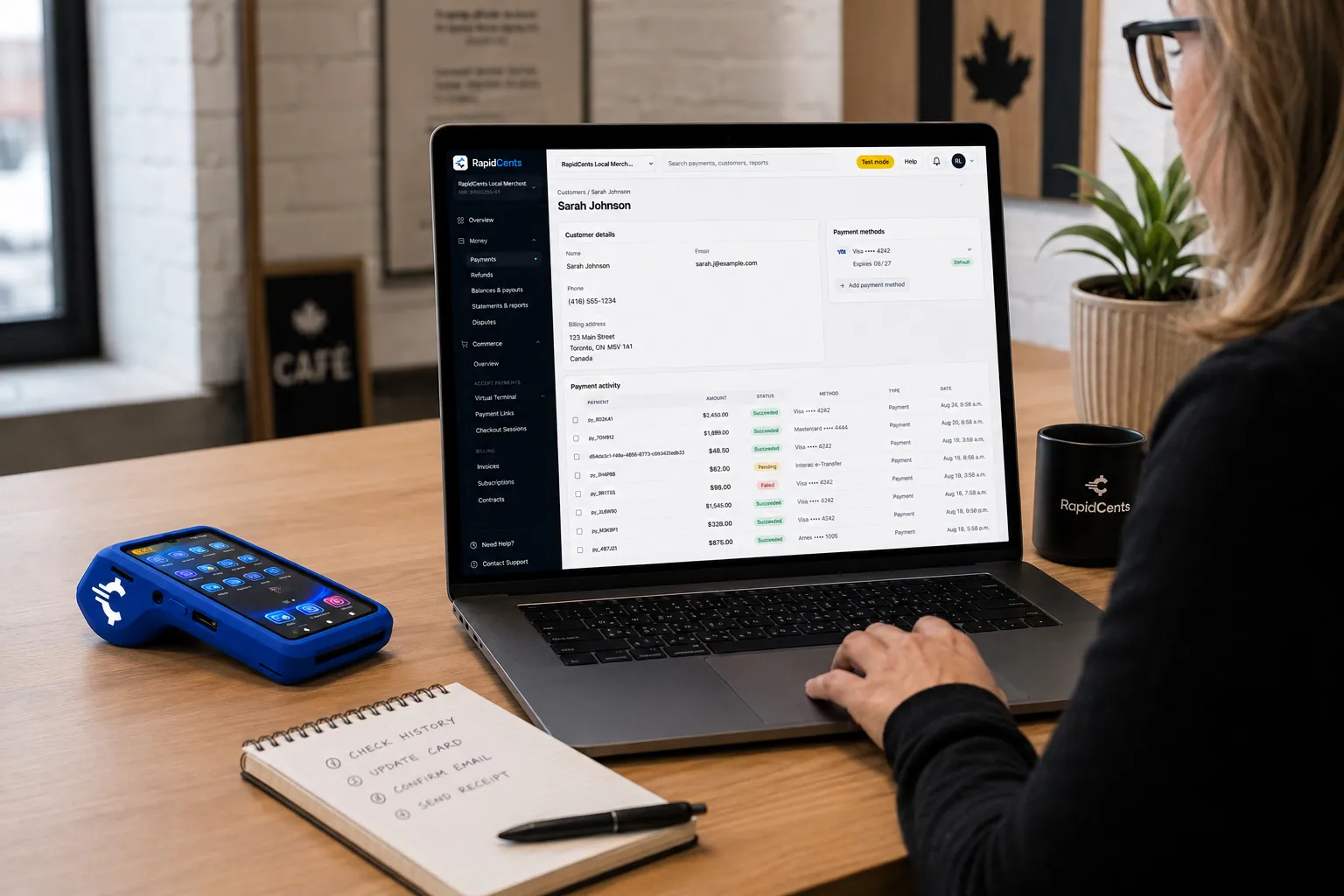
A RapidCents customer profile holds saved cards and invoices, so a return visit can be charged without re-keying the card. Customer Profiles
A customer profile ties together transactions, stored payment methods, subscriptions and disputes so staff…
Explore


How do mobile pet grooming payments work at the van?
Mobile pet grooming payments run on a supported phone with Tap to Pay or on a mobile payment terminal, so the groomer takes the card at the door when the groom ends. When the owner is not home, a payment link sent by text or the card on file in the customer profile closes the visit. Van payments land in the same RapidCents dashboard as a salon's.
How a driveway checkout runs
The groomer walks the dog back to the door and enters the amount on the phone or mobile terminal. The owner taps a contactless card or phone wallet, adds a tip, and gets a receipt by text or email. The sale posts to the same merchant account as the salon terminals, so a route's takings sit in one report.
Prepare the van before the first route
Set up Tap to Pay on a supported iPhone or Android phone and run a test sale and refund in the van, not in the office. A phone cannot read an inserted chip card, so carry a mobile terminal if clients ask to insert. Card payments are authorized over a data connection, so check coverage on your route; your RapidCents representative will explain what your device does when the signal drops.
When the owner is out or the signal is gone
Some mobile visits happen while the owner is at work. Send a payment link by text once the dog is back inside, or charge a card stored in the customer profile if the owner authorized charges for completed grooms. If a driveway has no signal, send the link when the van is back in coverage and mark the visit unpaid until the payment clears.
A solo groomer's six-stop route
Say a solo groomer runs six stops in a converted van. At four, the owner taps a card at the door. At one, the owner is at work and pays a text link at lunch. At the last, the owner of an older dog on a standing appointment has authorized a stored card, which the groomer charges after the groom.
What drives card fees for a grooming business?
Card fees for a grooming business come from interchange on each payment, which depends on the card type and on whether it was tapped at the counter or van or paid through a link, plus your RapidCents markup set out in your Fee Schedule and any equipment or service fees. Pet grooming merchant services from RapidCents are interchange-plus, month to month, with no fixed term.
Tapped grooms versus links and stored cards
A groom paid at pickup or at the van is usually tapped or inserted, which counts as card-present. Deposit links, no-show fees and stored-card charges are card-not-present, which generally carries higher interchange. A salon that moves more payments to links sees that shift in its interchange line, not in its RapidCents markup.
Debit, rewards and business cards
Interchange also follows the card itself: debit cards, everyday credit cards, premium rewards cards and the business card a breeder or kennel might use each carry their own interchange set by the card networks. It passes through at cost, so a busy pre-holiday month full of premium cards costs more without any change to your markup.
Tips, refunds and disputes
A tip is part of the amount charged, so processing applies to it like the rest of the sale. Refunded deposits and disputed no-show fees appear on your statement as their own lines; your Fee Schedule sets out how RapidCents charges for refunds and chargebacks. Track how many no-show fees clients dispute, since each dispute takes staff time as well as money.
What to bring to a comparison
Bring two or three recent processing statements, your average groom ticket, the split between counter, van and link payments, and your refund and dispute counts. Upload a statement to Fee Check to see interchange separated from markup, then ask each provider to quote the same month of grooms.
Grooming software compatibility: DaySmart Pet, MoeGo and others
RapidCents integrates with many major platforms through APPIE and RapidBridge, and the right option for your grooming software depends on your vendor and version. Your RapidCents representative will walk you through it. Either way, terminals and payment links run beside your software today: staff mark each appointment paid with the RapidCents transaction reference, and reports carry the totals to your books.
DaySmart Pet
DaySmart Pet is grooming management software, so the appointment, the price and the rebooking often live there. Tell your RapidCents representative your edition and country, and they will walk you through how payments connect. In the meantime, a RapidCents terminal runs beside it and staff mark each appointment paid.
MoeGo
MoeGo is pet care management software. If your bookings and client records sit in MoeGo, your RapidCents representative will walk you through the option that fits your edition and country, including how a payment taken on a RapidCents terminal or link is marked paid against the appointment.
Gingr
Gingr is pet care management software, and a facility that grooms beside boarding and daycare may book all three in it. Your RapidCents representative will show you how payments connect for your subscription; meanwhile a payment link or terminal runs beside Gingr and staff close each invoice with the transaction reference.
PetExec
PetExec is pet care management software. Decide where grooming tips are recorded: if groomer commissions and tips are calculated in PetExec, a tip taken on a RapidCents terminal has to be entered there too, or payroll will not match. Your RapidCents representative will walk you through the options for your edition and country.
Revelation Pets
Revelation Pets is boarding management software. If you groom boarding guests before they go home, check whether grooming charges added to a stay are paid inside the boarding software or separately, and how a RapidCents payment would be recorded against that stay. Your RapidCents representative will walk you through the setup that fits.
QuickBooks Online and Xero
For the books, RapidCents connects settled transactions, fees and refunds to QuickBooks Online and Xero. Where grooming software only exports a daily sales total, match that total to the RapidCents settlement report so deposits, balances and tips agree.
Payment options for pet groomers by country
Payment options for pet groomers depend on the country of your merchant account. RapidCents serves merchants in Canada and the United States, and the card brands, debit options, bank payments and settlement currency on your account follow its country. Your RapidCents representative will set out what applies before you build deposit links or equip a van.
What does not change with the country
The workflows are the same wherever you groom: a deposit link carries the appointment reference, the pickup balance and tip are taken on a terminal, and a stored card needs the client's authorization before any charge.
What depends on your account
Which debit cards your terminal accepts, which bank payments clients can use for a grooming plan, and the currency your payments settle in all depend on where your merchant account is held. Your RapidCents representative will walk you through them during onboarding.
Switching, setup and reconciliation for a grooming business
A grooming business switches to RapidCents most safely in stages: list every stored card, standing appointment and unspent deposit on the current processor, test a sale, tip, refund and deposit link on RapidCents, then move new bookings while the old account finishes what it started. Saved cards move only if both processors agree; otherwise clients authorize again at their next visit.
Take inventory before you change anything
List clients with a card on file and what each one authorized, every standing appointment, deposits paid for future dates, and refunds still in progress. Note which records live in your grooming software and which exist only with your current processor, because those are the ones you will need to collect again.
Saved cards and deposits taken before the switch
Stored cards transfer only when both processors agree to move them, so do not plan around it. Where they cannot move, ask each regular client to authorize a new card at pickup or through a payment link. Refunds of deposits taken before the switch normally go back through the old processor, so keep that account open until those appointments are done.
Test the salon and the van
Once your account is approved, run a test sale with a tip, a refund, a deposit link and, if you groom on the road, a Tap to Pay sale in the van. Check that each appears in the Merchant Dashboard with the reference staff will search for, such as the appointment number or the pet's name.
Reconcile daily for the first weeks
Match the day's deposits, pickup balances and tips in your grooming software to RapidCents transactions, then match settlement reports to what reached your bank account. When every payment reference maps to an appointment number, a refund or dispute can be traced to the groom it belongs to, and the totals can be mapped to QuickBooks Online or Xero.
Payment questions from pet groomers
What is the best payment processor for a pet grooming business?
The best processor for a pet grooming business is the one that fits your mix of counter, van and link payments at a cost you can verify, so compare on those terms rather than on a headline claim. Check that the dog groomer credit card machine you are offered takes tips, that phones or mobile terminals work on your route, that deposit links carry appointment references and how stored cards are authorized. Then compare written quotes that separate interchange from markup.
How much does credit card processing for pet groomers cost?
It depends on your card mix and how cards are taken, so no single figure fits every groomer. With RapidCents, each groom's interchange passes through at cost, plus your RapidCents markup from your Fee Schedule and any equipment or service fees. Cards tapped at the counter or van generally carry lower interchange than deposit links and stored-card charges, and premium rewards cards usually cost more than debit. Fee Check shows interchange apart from markup on your current statement.
Can DaySmart Pet or MoeGo use a different payment processor?
RapidCents integrates with many major platforms through APPIE and RapidBridge, so most groomers keep the software they run today. The right option depends on your software vendor, plan and version. Tell your RapidCents representative whether you use DaySmart Pet, MoeGo or another system, and they will walk you through it. Until then, a RapidCents terminal or payment link runs beside your software.
How can a groomer switch processors without losing saved cards or deposits?
Move in stages and keep your old account open until its own deposits and refunds are finished. Start with a list of stored cards and what each client authorized, standing appointments and deposits paid for future dates. Saved cards transfer only with both processors' agreement, so plan to collect a fresh authorization at each regular client's next visit or by payment link. Test a sale, tip, refund and deposit link on RapidCents before moving new bookings.
Which payment options are available to pet groomers in Canada and the United States?
It depends on the country of your merchant account. RapidCents serves merchants in Canada and the United States, and each account carries the card brands, debit options, bank payments and settlement currency of its own country. In both, groomers can take cards in person on terminals or Tap to Pay, and deposits or balances by payment link. Your RapidCents representative will walk you through what applies to your account.
Can clients tip their groomer by card?
Yes. On a RapidCents countertop terminal, the client can add a tip when paying at pickup, and the tip becomes part of the same card transaction. Turn tipping on for every device you use, including Tap to Pay in a van. Tips reach your reports with each sale; splitting them between groomer and bather and paying them out happens in payroll or grooming software, not in the processor.
Can a mobile groomer take card payments in the van?
Yes. A mobile groomer can take cards with Tap to Pay on a supported iPhone or Android phone, or with a mobile payment terminal, on the same merchant account a salon would use. Plan for signal: check coverage on your route, and your RapidCents representative will explain what your device does without a connection. A phone takes contactless cards and wallets but cannot read an inserted chip card, so carry a terminal for clients who insert.
Can I charge an agreed grooming no-show fee to a client's card?
Yes, if the client accepted your no-show policy at booking and authorized you to charge the card on file for it. Disclose the fee and the notice period before the client books, keep their acceptance with the appointment, and charge only the amount your policy sets out, once, as its own transaction. Card network rules apply to charges made when the client is not present, and your RapidCents representative will walk you through the authorization process that fits.
How are grooming deposits applied to the final bill?
A grooming deposit is a separate payment taken at booking, and it is applied at pickup by charging only the remaining balance. Put the appointment number in the payment link's reference field so both payments match the same groom in your reports. If the client reschedules within your policy, move the deposit to the new date in your booking software; if they cancel with notice, refund it to the card that paid.
What if the price changes on the grooming table, such as for a matted coat?
Charge the extra only after the owner approves it. When a groomer finds a matted coat that needs a shave-down instead of the quoted trim, or another add-on, contact the owner with the service and its price and keep the reply with the appointment. The approved add-on then becomes part of the pickup balance on the terminal. If the owner cannot be reached, follow your written policy rather than charging for work nobody agreed to.
Related pages for pet businesses
Pet Services covers businesses that groom, board and run daycare under one roof, and Pet Boarding and Daycare covers stay deposits, checkout balances and daycare packs. Both use the same deposit links, pickup terminals and authorized stored cards, so they are worth a look if your business does more than grooming.
Pet Services
RapidCents helps boarding kennels, dog daycares, groomers, trainers and pet sitters take…
Pet Boarding & Daycare
Take stay deposits, checkout balances, daycare packs and approved extra-care charges at…
Nonprofits & Charities
Take one-time and monthly gifts online, sell event tickets by link and reconcile deposits…
Education
Take enrollment deposits online, run tuition installments on schedules families authorize…
Government
Take permit fees, counter payments and mailed-in payments from residents, then trace…
Events & Ticketing
Sell advance tickets online, take cards at the gate and concession stand, and give…
Membership Clubs
RapidCents collects membership dues on a schedule, takes event fees and guest passes by…
Travel Agencies
Take booking deposits, collect final balances and group installments, and match settled…
Take the next step
See what your grooming payments really cost
Upload a recent processing statement and Fee Check separates interchange from markup across your counter taps, van payments and deposit links, so you can compare processors on your own grooming numbers.
- No obligation
- Payment specialists, not a call centre
- Secure statement upload



