


Payment processing for restaurant suppliers and equipment dealers
Payment processing for restaurant suppliers means collecting from restaurant operators in three main ways: a deposit when they sign for commercial kitchen equipment and a balance on delivery or startup, reorders of smallwares and consumables billed to their account, and will-call orders collected at your warehouse. RapidCents handles each with references your team can match.

- PCI DSS Level 1
- SOC 2 Type II
- All major cards: Visa, Mastercard, Amex, Discover, UnionPay, Diners Club & PIN Debit
- Interchange-plus available
- Specialist onboarding support
How restaurant suppliers get paid
Restaurant suppliers get paid through five different payment jobs, and each has its own payer, trigger and paperwork: equipment deposits and balances, smallwares and consumables reorders, account invoices on agreed terms, will-call pickups and urgent phone orders for parts. Keeping them apart makes restaurant supplier invoice payments easier to match, because a deposit, a reorder and a counter sale each close a different record.
Equipment deposits and delivery balances
The owner signs a quote for ranges, refrigeration, a dish machine or a kitchen package. A deposit is due at signature and the balance when the equipment is delivered, installed or started up, collected by eSignature request, payment link or a card the operator authorized you to store. Factory lead times and back-ordered items are where the schedule slips. Finance needs one quote or order number on every payment.
Smallwares and consumables reorders
Chefs and kitchen managers reorder hotel pans, sheet pans, food storage containers, utensils, disposables and cleaning supplies, often weekly. Each order creates an invoice on the restaurant's account, paid by payment link or by a card the restaurant has authorized you to keep on file. If an item is backordered or substituted, the total changes, so the invoice changes with it. Each payment carries the order number and location.
Account invoices on agreed terms
Established restaurant accounts buy on the terms in their account agreement, such as payment within an agreed number of days, and receive invoices or a monthly statement. The owner or accounts payable pays by payment link, card or bank payment, and Invoicing sends reminders before due dates. If a payment arrives without an invoice number, match it to the statement before you apply it. Your accounts team needs every invoice the payment covers.
Will-call pickups and counter sales
Owners, cooks and runners collect orders at your warehouse or showroom counter, sometimes hours before a service, and walk-in operators buy smallwares off the shelf. Payment is due before goods leave unless the order sits on an account. If a collector is not on the account's pickup list, hold the order until the owner approves. For reconciliation, each counter sale is matched to its pickup ticket.
Urgent phone orders for parts
When a fryer thermostat, oven door gasket or dish machine pump fails mid-week, the kitchen calls your inside sales or parts desk. Staff take the card in Virtual Terminal, which runs address and security-code checks and keeps an audit log of who took the payment, then ship the part. If the part turns out to be the wrong one, the return is refunded against the original payment, and finance matches the order number to the transaction.
How do deposits and delivery balances work on commercial kitchen equipment?
Commercial kitchen equipment payments usually come in stages: a deposit when the restaurant signs the quote, then one or more balance payments when equipment is delivered, set in place or started up. RapidCents collects each stage against the same quote or order number, so your team can see what has been paid and what is still owed. The milestones, cancellation terms and refund terms come from your sales agreement, not from the payment system.
From signed quote to final balance
Send the quote through Contracts & eSignatures so the operator signs and pays the deposit in one step, or send a deposit link carrying the quote number and an expiry date that matches the quote. When equipment ships or is installed, issue the balance invoice with its own link, which the owner can pay before your crew leaves. With written authorization for that charge, a stored card works too.
Agree milestones, payers and limits first
Write down first what triggers each payment: delivery to the dock, set-in-place or the manufacturer's startup visit. Name who pays each stage, since an ownership group or general contractor sometimes pays instead of the restaurant, and mark special-order items the factory will not take back. If a balance exceeds the restaurant's card limit or your account limit, use a bank payment or documented stages, never several smaller card charges.
Split deliveries, cancellations and disputes
Kitchen packages arrive in pieces: if the walk-in cooler ships before the hood, invoice what was delivered and leave the rest open. If an operator cancels, apply the signed cancellation terms and refund what is owed against the original payment. A signed delivery receipt, installation photos and the startup report are your evidence in a delivery or condition dispute, and RapidCents dispute tools show the deadline.
A café kitchen package, from deposit to startup
Say a supplier quotes a new café a combi oven, two reach-in refrigerators, an undercounter dish machine and smallwares. The owner signs and pays the deposit in one eSignature request. Refrigeration and smallwares arrive first and are invoiced on delivery. The combi oven follows three weeks later, and after the manufacturer's startup visit the remaining balance goes to the owner as a link carrying the original quote number.
How do restaurant groups pay for reorders placed at each location?
Restaurant groups usually split ordering from paying: chefs and kitchen managers place reorders for their own location, and head office pays the invoices or a monthly statement. RapidCents fits that split when each payment request goes to the person authorized to pay and carries the location, PO and invoice numbers, so a single payment from head office can be matched to the right location's invoices.
How a group reorder gets paid
A kitchen manager orders deli containers, gloves, sheet pans and tongs for one location, and your system invoices that location. Head office gets each invoice with a payment link, or a monthly statement with one link for the total. Accounts payable pays by card or bank payment, Invoicing applies a partial payment to the open balance, and your team spreads a statement payment across the invoices it lists.
Set roles, references and terms first
Agree with the group who may order for each location and who may pay, and send requests only to the named payer. Put the group's PO format and its location name or number in the payment link's reference fields. Storing a card takes that payer's written authorization. Paying by card or link leaves the net terms in the agreement unchanged, and RapidCents does not finance those terms.
Short payments, backorders and a chef's own card
When head office pays a statement short because one location disputes a case count, apply it to the undisputed invoices and keep the disputed one open until a credit note or redelivery settles it. Adjust the invoice for backorders and substitutions before the payment request goes out. If a chef pays an order with a personal card, record it against that location's invoice so head office does not pay twice.
A four-location group at month end
Say a group running four restaurants lets each sous-chef reorder smallwares and disposables twice a week. The supplier invoices each location with the group's PO number. At month end the controller gets one statement link for all open invoices and pays everything except an invoice for a missing case of film wrap, which stays open until the supplier issues the credit note and the controller pays the corrected amount.
RapidCents products for restaurant suppliers
Invoicing and Payment Links handle account reorders and head-office statements, Contracts & eSignatures takes the deposit when an operator signs an equipment quote, and countertop terminals take payment for will-call pickups and showroom sales.

The RapidCents invoices screen: outstanding, overdue, paid and draft totals across the top, the invoice list below them, and a preview of one invoice on the right with its line items and a View & Record Payment button. Invoicing
RapidCents invoicing helps professional services, contractors and B2B suppliers create branded invoices…
Explore
The RapidCents payment links screen listing created links with their amount, status, click count and whether they have been paid, beside a phone showing the branded page a customer opens to pay $2,500.00. Payment Links
RapidCents payment links let staff generate branded pay-by-link URLs for invoices, deposits, balances and…
Explore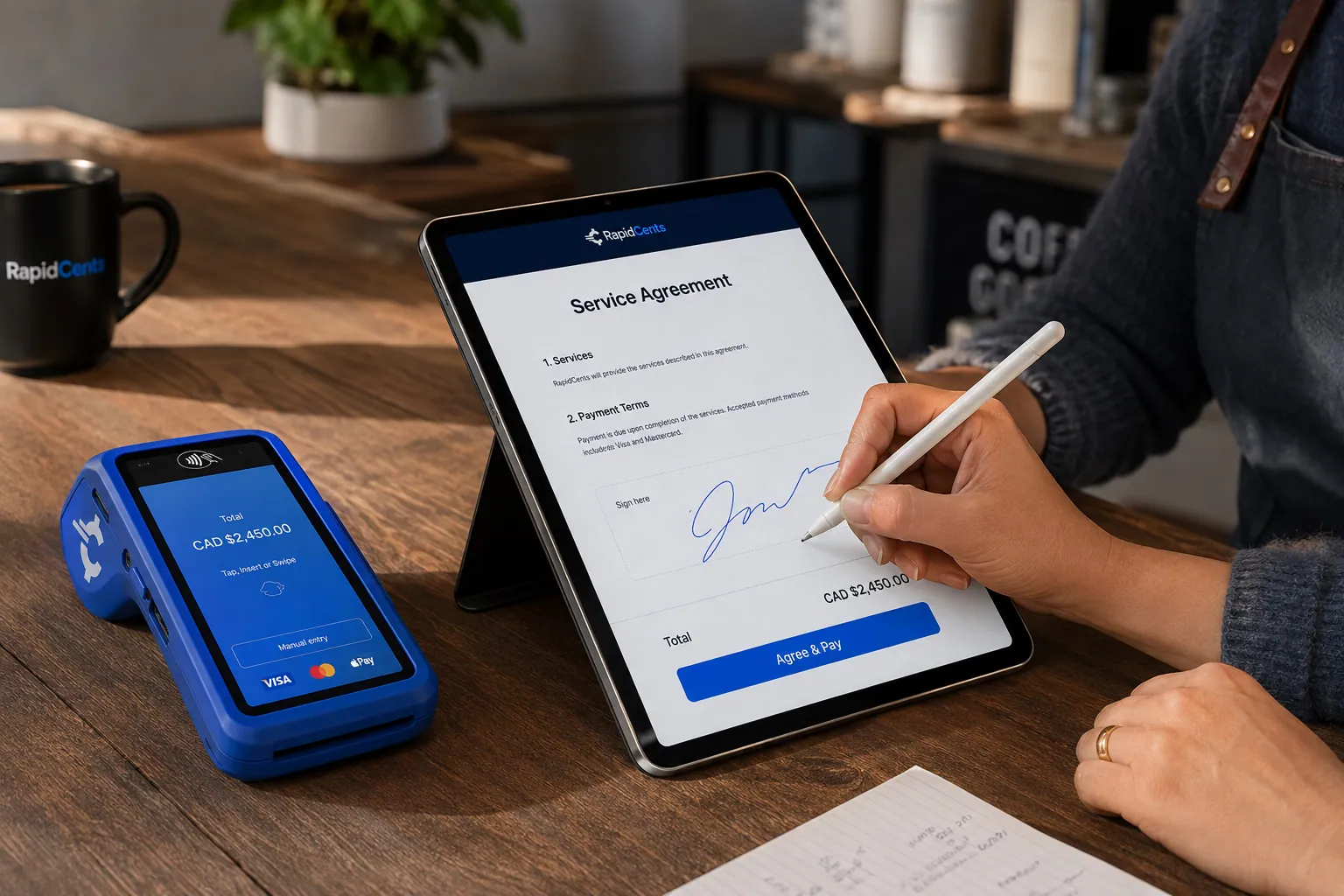
A merchant sends a RapidCents contract for e-signature with payment attached, terminal ready for an in-person counterpart. Contracts & eSignatures
Quotes, service agreements and enrolment forms usually end in a payment. Send the document, capture the…
Explore
A fixed RapidCents countertop terminal taking card payments at the till, with settlement visible on the dashboard. Countertop Terminals
RapidCents countertop terminals sit at retail counters, restaurant hosts and reception desks where speed and…
Explore


How should will-call pickups be paid and released?
Will-call orders are paid in one of three ways: in advance by payment link, at your pickup counter on a countertop terminal, or on the restaurant's account when the person collecting is on its approved pickup list. RapidCents handles the first two, and your order system controls the third. In every case, counter staff check the order number and the collector's name before anything leaves the dock.
How a pickup order gets paid
Once the order is picked and marked ready, counter staff check the Merchant Dashboard: if the owner already paid the link, the goods are released. If not, the collector taps or inserts a card on the countertop terminal and staff attach the receipt to the pickup ticket. On the loading dock, a mobile terminal or Tap to Pay on a supported iPhone or Android phone works too.
Decide who may collect and what must be prepaid
Ask each account to name who may pick up and sign for orders, such as the owner, the chef and a named runner, and keep that list at the counter. Decide which orders must be paid before release, for example first orders from new customers or special-order items, and print that on the order confirmation. With several warehouses, Multi-Location gives each its own merchant ID and permissions, plus roll-up reporting.
Wrong collectors, counter returns and declines
If a runner from one location collects another location's order, correct the paperwork before taking payment instead of refunding and recharging later. Unused smallwares returned at the counter are refunded to the card that paid, after checking them against your return terms. If a card is declined at pickup, hold the order or send an invoice link to the owner, and release the goods once the payment shows as paid.
A pickup before dinner service
Say a chef orders a replacement fryer basket, two cases of takeout containers and a case of nitrile gloves at two in the afternoon, and the general manager pays the emailed link from a phone. A line cook arrives an hour later. Counter staff find the order, see it marked paid, check the cook's name against the pickup list and hand it over, with no card needed.
What drives card processing costs for a restaurant supplier?
The cost of card processing for a restaurant supplier depends mainly on which cards restaurant operators pay with and how they are accepted. We price restaurant supply credit card processing on interchange-plus: interchange, set by the card networks, passes through at cost, plus the RapidCents markup written into your Fee Schedule and any fees for equipment or services that apply to your account. There is no fixed term; you stay month to month.
Business, purchasing, rewards and debit cards
A restaurant group's controller might use a purchasing card, while an independent owner pays with a personal rewards card or debit; each card type has its own interchange categories. Where your setup supports enhanced Level 2 or Level 3 data, including the PO number, tax amount and line items, send it with commercial-card payments. Sending it is not a promise of lower cost.
Counter, phone and payment-link channels
A card tapped or inserted at your will-call counter is a card-present payment; a card keyed from a phone order or entered on a payment link is card-not-present, which generally falls into different interchange categories and calls for address and security-code checks. If most reorders arrive by phone or link, your channel split can matter as much as your card mix.
Small reorders versus large equipment tickets
Some interchange categories include a fixed amount per transaction, which weighs more on a smallwares reorder than on a large equipment balance. Large tickets bring other costs: a dispute over delivery or condition puts more money at stake, and card limits may push the balance to a bank payment. Compare what each method costs for your equipment orders before you set a payment policy for them.
What to bring to Fee Check
Gather your last few processing statements, a rough split between business and consumer cards, a typical reorder ticket and a typical equipment ticket, the share of payments taken at the counter, by phone and by link, and how many refunds and chargebacks you handle. Fee Check takes the uploaded statement and lists interchange apart from markup, so competing quotes line up on the same basis.
Will RapidCents work with your ERP, quoting and accounting software?
RapidCents integrates with many major platforms through APPIE and RapidBridge, and the right option depends on your software vendor and version. RapidBridge works with Oracle NetSuite, SAP Business One Web Client, Dynamics 365 Business Central and Acumatica, and settled transactions, fees and refunds flow to QuickBooks Online and Xero. Your RapidCents representative will walk you through the option that fits your quoting and distribution software.
NetSuite and SAP Business One
If quotes, sales orders, customer deposits and invoices live in Oracle NetSuite or SAP Business One, RapidBridge works with both inside the web app, so a payment lands against the record you already have open. NetSuite and SAP can also import RapidCents settlement files. Your representative will show you how deposits on undelivered equipment are booked.
Dynamics 365 Business Central, Acumatica and Epicor Prophet 21
RapidBridge works with Dynamics 365 Business Central and Acumatica, so card payments post against the sales order or invoice you already have open. For Epicor Prophet 21 and other distribution ERPs, RapidCents integrates through APPIE and RapidBridge, and the right option depends on your vendor, version and any payment add-on already installed. Your RapidCents representative will walk you through it.
QuickBooks Online and Xero
A supply house that keeps its books in QuickBooks Online or Xero can carry settled transactions, fees and refunds across from RapidCents. Settle with your accountant how a deposit on equipment not yet delivered is booked, so the deposit and the balance invoice do not count the same sale twice.
Quoting tools and online ordering portals
If your team builds equipment quotes in foodservice quoting or kitchen-design software, or takes reorders through a B2B ordering portal, RapidCents integrates with many major platforms through APPIE and RapidBridge, and your representative will show you the fit. Carry the quote or web-order number into the eSignature request or payment link, and ask whether the Payment Gateway API or Hosted Checkout suits your portal.
Payment options for restaurant suppliers by country
The payment methods a restaurant supplier can offer follow the country where its merchant account is held. RapidCents works with merchants in Canada and the United States, and card brands, debit options, bank-payment methods and settlement currency vary between the two countries. Your RapidCents representative will tell you which methods apply to your account, so the options on your quotes, invoices and statements are right.
Cards at the counter, by link and by phone
Credit and debit cards work at the will-call counter, on invoice payment links and over the phone, with the card brands and debit types set up on the supplier's account. Business and purchasing cards from restaurant groups go through the same channels, and enhanced data depends on your setup.
Bank payments for statements and large balances
Each country has its own bank-payment method, with its own authorization form and settlement timing. For account statements and large equipment balances, your RapidCents representative will tell you which bank-payment option your account supports and what authorization the restaurant must sign before the first debit.
How do you switch processors with open deposits and stored cards?
Switch in stages: keep your current processor open until every deposit it took has been delivered against or refunded, ask restaurants that reorder on a stored card to authorize a new one, and send new quotes and reorders through RapidCents first. Test each payment flow before live orders move, then reconcile settlements to your ledger for at least one full statement cycle before closing the old account.
List what the old processor holds
Export transaction and settlement history, then list stored cards and the authorizations behind them, recurring charges, deposits on equipment not yet delivered, unpaid balances and refunds still due. A refund is normally issued by the processor that handled the original sale, so a deposit taken months ago on the old account is refunded from that account, which must stay open until those orders close.
Ask for new card authorizations
The cards restaurants authorized for reorders are stored as tokens that usually stay with the processor that created them, moving only when both providers agree. Ask each restaurant that reorders on a stored card to authorize a card with RapidCents, in writing that sets out which orders may be charged, when, and how to cancel, and move that account over once the new card is on file.
Test every flow, then run both accounts
Once your account is approved, run a deposit through Contracts & eSignatures, a balance payment link, a Virtual Terminal phone order, a counter sale and a refund before live orders move, and check that each appears in reporting with the right reference. Then send new quotes and reorders through RapidCents while the old account finishes the open equipment orders it already holds.
Map references and reconcile settlements
Decide which field carries the invoice, order, PO and location numbers, and make sure your ERP or accounting import reads them. Reconcile each settlement that reaches your bank to the payments, refunds and fees behind it, and check that equipment deposits, balances and credits sit on the right customer account before you close the old processor. Transaction, settlement and fee reports export as CSV or PDF.
Payment questions from restaurant suppliers
What is the best payment processor for restaurant suppliers?
There is no single best payment processor for restaurant suppliers; the right one handles your equipment deposits, account reorders and will-call payments with clear references and pricing you can check. When you compare foodservice distributor merchant services, ask whether invoice payment links carry quote, PO and location numbers, whether phone orders run with an audit log, and how a restaurant authorizes a stored card. Then get written quotes that separate interchange from markup, based on the same statement, and compare contract terms.
How much does credit card processing cost for restaurant suppliers?
A restaurant supplier's card processing cost depends on its card mix and channels, so no single figure applies. Restaurant supply credit card processing with RapidCents is priced as interchange at cost, plus the markup in your RapidCents Fee Schedule and any fees for equipment or services you use, month to month with no fixed term. Interchange varies with the card type and with whether it is tapped at the counter, keyed by phone or paid by link. Fee Check separates interchange from markup on your current statement.
Will RapidCents work with our ERP, such as NetSuite or Acumatica?
Often it does. RapidCents integrates with many major platforms through APPIE and RapidBridge, and the right option depends on your ERP product, edition and version. RapidBridge works with Oracle NetSuite, Dynamics 365 Business Central and Acumatica, NetSuite and SAP can import settlement files, and settled transactions, fees and refunds flow to QuickBooks Online and Xero. Your RapidCents representative will walk you through the option for your ERP, including any payment add-on already installed.
How can restaurant suppliers switch processors without losing payment history?
Export your transaction and settlement history first, and keep the old account open until every deposit taken on it has been delivered against or refunded, since refunds normally run through the processor that took the payment. Stored cards move between processors only if both providers agree, so ask reorder customers to authorize a new card. List open invoices, unpaid equipment balances and pending refunds, test each flow on RapidCents, and move new orders first.
Which payment options are available to restaurant suppliers in Canada and the United States?
Card payments at the pickup counter, on invoice payment links and by phone are available to restaurant suppliers in Canada and the United States, along with a bank-payment option for statements and large equipment balances. Which bank-payment method applies, what a restaurant signs to authorize it, which debit networks work and the settlement currency are all tied to your merchant account's country, and your RapidCents representative sets each one up with you before it goes on quotes or invoices.
How can a restaurant pay a supplier invoice without visiting the warehouse?
A restaurant can pay a supplier invoice remotely through a payment link, which an authorized purchaser opens on a phone or computer. Send the link by email or SMS to the payer the account named, or print it as a QR code on the invoice, and put the invoice or order number and, for restaurant groups, the location and PO in its reference fields. Your warehouse can then release the order once the link shows as paid, and your accounts team can match the payment without calling the restaurant.
Can a commercial oven order have a deposit and a delivery balance?
Yes, a commercial oven order can carry a deposit at order and a balance due on delivery or startup, if your sales agreement sets it up that way. Name each milestone and what triggers the balance, keep both payments on the same order number so the unpaid amount stays visible, and write down when restaurant equipment deposits stop being refundable, for example once the factory order is placed. Your RapidCents representative will show you how your setup records partial payments and the remaining balance.
Can a chef place an order while head office pays?
Yes, a chef can place the order while head office pays, as long as you and the restaurant group agree on the ordering and paying roles in advance. The chef or kitchen manager orders, and the invoice or payment request goes to the payer head office named, carrying the location and PO so accounts payable knows what it is paying for. If head office wants a card kept on file for these orders, get its written authorization covering which orders may be charged, when, and how to cancel.
How should returned smallwares and equipment cancellations be refunded?
Refund returned smallwares and equipment cancellations under the return and cancellation terms you disclosed, and reconcile each refund to the original transaction. Record the approved adjustment, such as a restocking charge or a factory order the manufacturer would not take back, so the refund and the invoice agree. Ask whether the restaurant wants an account credit or a card refund: a credit note reduces what the restaurant owes you, while a refund returns money to the card, and each is a different record.
Does supplier payment processing replace a restaurant POS system?
No. Supplier payment processing does not replace a restaurant POS. Payment processing for restaurant suppliers covers money a supplier collects from restaurants for equipment, smallwares and consumables, through invoices, deposits, account references and pickup payments. A restaurant POS takes payments from diners, with table service, tips and menu orders, so the two have different payers and produce different records. If you run a restaurant and want to take diner payments, the Restaurants page and RapidCents Restaurant POS cover that instead.
What MCC is used for restaurant suppliers?
MCC 5046, Commercial Equipment, Not Elsewhere Classified, is commonly associated with restaurant equipment and commercial kitchen supply businesses. Your RapidCents representative sets the right merchant category when you apply, from the products you sell and the channels you sell through. If most of your sales are food products, takeout packaging or janitorial supplies rather than kitchen equipment and smallwares, say so, because a different category may fit.
Related supplier pages
For payment workflows that cut across every wholesale category, start at the B2B & Wholesale hub. Grocery and food distributors that deliver perishable product to restaurants have their own page, as do beverage distributors. If you run a restaurant and collect from diners, the Restaurants page covers those payments instead.
B2B & Wholesale
Collect net-terms invoices by payment link with the PO number attached, take commercial…
Grocery & Food Distributors
Get paid for every delivery to grocery stores, restaurants and institutional kitchens…
Produce Wholesalers
Collect on final weights, apply quality credits to the right delivery, and keep…
Meat & Seafood Wholesalers
Invoice catch-weight orders, collect on scheduled deliveries and settle freshness credits…
Beverage Distributors
Collect route invoices, container deposits and account balances from the stores, cafes…
Bakery & Ingredient Suppliers
Collect from the bakeries and food manufacturers you supply: repeat flour orders…
Dental Suppliers
From monthly consumables reorders to chair and imaging deposits, collect what clinics…
Veterinary Suppliers
Get invoices, standing orders and equipment deposits paid by the veterinary practices…
Take the next step
Check what equipment, reorder and pickup payments cost you
Fee Check reads a recent processing statement and splits interchange from markup, showing what your equipment balances, account reorders and will-call sales are costing. Then walk through your quote, deposit and invoice steps with RapidCents in a review of your restaurant supply payment process.
- No obligation
- Payment specialists, not a call centre
- Secure statement upload



