


Payment Terminals and POS for Licensed Cannabis Retailers
A licensed cannabis retailer sells under state rules, and its payments have to reconcile against a regulated inventory record. RapidCents runs countertop payment terminals and Tap to Pay at the till, with reporting that matches settlement to the day's recorded sales. Cannabis retail carries MCC 5993. Because that code is declared to the acquirer when the merchant account opens, a licensed store is boarded as what it is rather than misclassified.

- PCI DSS Level 1
- SOC 2 Type II
- All major card brands: Visa · Mastercard · Amex · Discover · PIN debit
- Interchange-plus available
- Specialist onboarding support
Operational workflows
Age verified before the basket is rung
Debit, credit or tap on a validated terminal
Settlement matched to recorded inventory sales
Store and shift totals reviewed at close
Payment challenges
Settlement has to agree with a regulated inventory record
The day's card total is checked against what the store recorded as sold, so a gap is a compliance question and not only a bookkeeping one.
Being boarded as what the store actually is
A licensed retailer misclassified on its merchant account risks losing processing later, which is why the code is declared when the account opens.
Cash still shares the counter
Card and cash run side by side at the till, so a shift close has to reconcile both without estimating either.
Choose the right payment setup for Cannabis Retail
Choose cannabis payment processing
For Cannabis Retail, map the counter or service point and the sale and reconciliation with business systems before choosing a setup. Select channels that match those moments, then confirm that the chosen solution genuinely covers each channel.
Payment hardware for Cannabis Retail
For Cannabis Retail, start with the place customers pay in person: a countertop terminal, smart terminal, or portable device depending on the workflow. Verify that the hardware fits the real volume and workspace.
Compare payment processing fees
For Cannabis Retail, request a written fee breakdown covering in-person and remote transactions. Compare the effective cost across the real card and channel mix; do not choose on a headline rate alone.
Set up or switch Cannabis Retail payments
To set up Cannabis Retail payments, document how payment data moves into business systems, confirm compatibility before purchase, then test a real payment flow before going live.
Recommended products
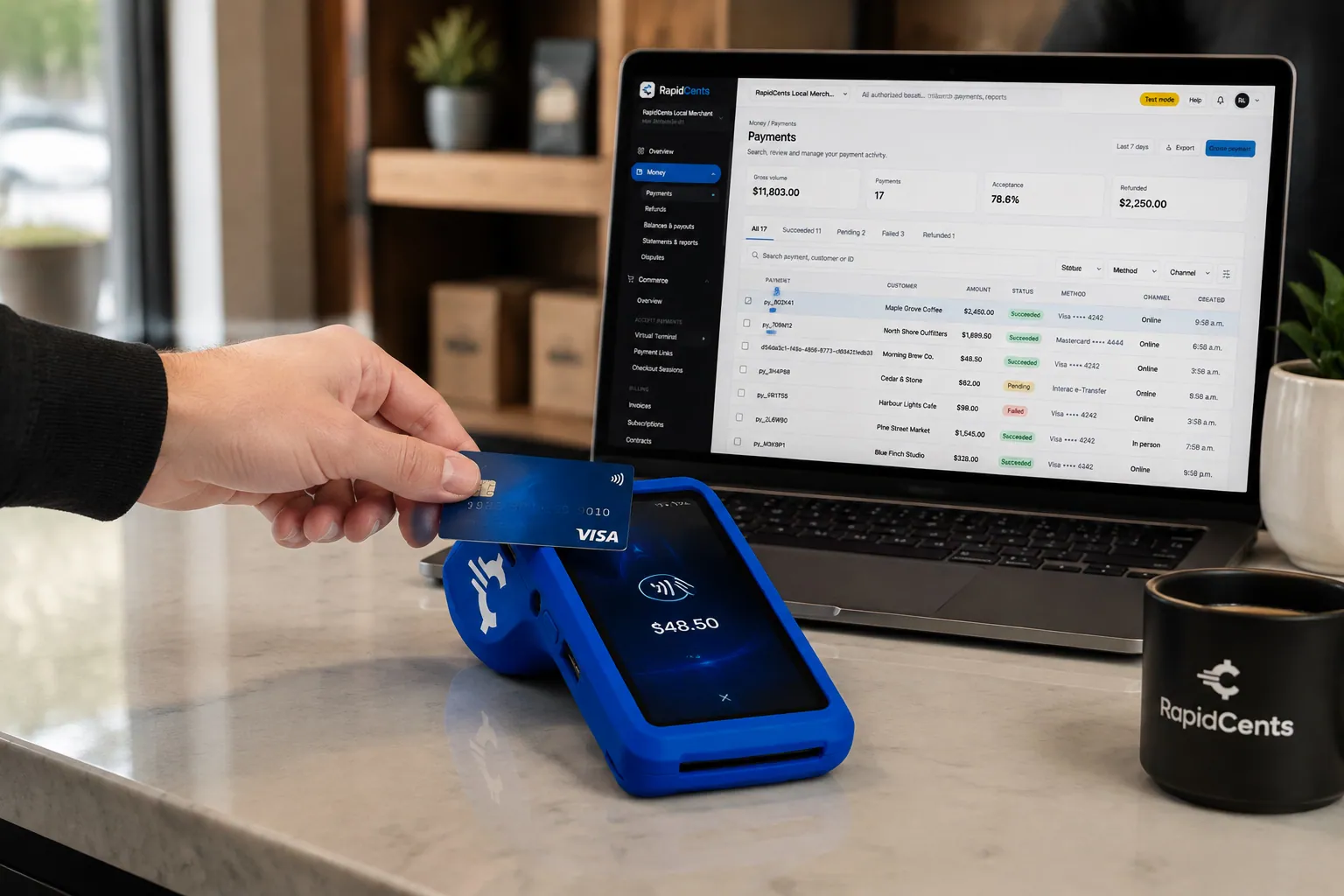
A fixed RapidCents countertop terminal taking card payments at the till, with settlement visible on the dashboard. Countertop Terminals
RapidCents countertop terminals sit at retail counters, restaurant hosts and reception desks where speed and…
Explore
A café worker holds a phone running RapidCents Tap to Pay, showing an $18.75 sale and the contactless symbol, while a customer holds a Visa card to the screen. No separate card reader is present. Tap to Pay
RapidCents Tap to Pay turns supported iPhones and Android devices into contactless payment terminals without…
Explore
The RapidCents payments screen: gross volume, payment count, acceptance rate and refunds across the top, a filterable transaction list below, and a money timeline on the right tracing one payment from capture to planned payout. Merchant Dashboard
The RapidCents merchant dashboard gives owners, managers and finance staff a single signed-in view of live…
Explore
A merchant reviews RapidCents reports for volume, mix and payouts, with the terminal that took the sales on the desk. Reporting
RapidCents reporting delivers customizable transaction, settlement and fee reports with CSV and PDF export…
Explore


How this gets set up
Boarded as a licensed retailer
The merchant account is opened under MCC 5993 with the licence declared, so the store is classified as what it is from the first transaction.
Terminals at the till
Countertop terminals and Tap to Pay go in behind the ID check the store already performs.
Sales that reconcile to inventory
Settlement is reported so the day's card sales can be matched against the recorded inventory movement, not just the bank deposit.
A second store on the same account
An operator opening another location adds it to the existing dashboard rather than starting over.
Integrations
Cova
Cova rings the regulated sale, so the card total matches the inventory the sale moved.
Greenline
Greenline keeps the compliant sales record, so a card payment and its transaction stay one entry.
Flowhub exports
Flowhub exports pull sales and payment history out as a file, which is a migration and reporting path rather than a live sync.
Operations, security and going live
Payments matched to a regulated record
The day's settlement has to line up with recorded sales, because the inventory record and the takings are read together.
Totals by store and by day
Reporting breaks down to the location and the date, so a variance points at one shift in one store.
Cash on site is the real risk
Card acceptance at the counter lowers the amount a licensed store holds overnight, which is the exposure staff actually feel.
Underwriting before installation
Because the account is opened on the strength of a licence, the paperwork is settled before terminals are scheduled.
Payment questions from Cannabis Retail
What should businesses compare when choosing cannabis payment processing for Cannabis Retail?
Compare cannabis payment processing against the real payment journey: the counter or service point and the sale and reconciliation with business systems. Start with the required channels and hardware, then confirm compatibility and support before committing.
What payment hardware is practical for Cannabis Retail?
For Cannabis Retail, start with the workstation where customers pay and the space available. A test of the real flow reveals the right form factor better than a feature comparison alone.
Which payment channels are relevant for Cannabis Retail?
For Cannabis Retail, start with the counter or service point and the sale and reconciliation with business systems. Keep only the channels that match those moments, then verify the complete customer flow before offering them.
How should payment processing fees be evaluated for Cannabis Retail?
For Cannabis Retail, compare costs related to in-person and remote transactions using actual transactions. Request a written breakdown of fees and terms rather than relying on an advertised rate alone.
What should be confirmed before setting up payments for Cannabis Retail?
For Cannabis Retail, document how payment data moves into business systems, verify the needed compatibility, and test the flow before going live. This exposes manual steps and exceptions before customers encounter them.
How can payment friction be reduced for Cannabis Retail?
Identify the point where customers or staff wait, repeat data entry, or have to chase a payment. Make that payment flow the primary selection criterion, then validate it with a test transaction.
What MCC category applies to Cannabis Retail?
MCC 5993 is commonly associated with Cannabis Retail. Our onboarding team confirms the correct category for your business.
Related industries
Nonprofits & Charities
Nonprofits accept donations, event tickets and recurring giving with transparent pricing…
Education
Schools and training providers collect tuition, registration fees and installment plans…
Government
Municipal and agency departments accept citizen payments for permits, fines and fees with…
Events & Ticketing
Venues and promoters sell tickets, VIP packages and concessions with online checkout…
Membership Clubs
Clubs, associations and coworking spaces bill monthly dues, event fees and pro-shop sales…
Travel Agencies
Travel advisors collect deposits, final balances and change fees with virtual terminal…
Agriculture
Farms, co-ops and ag retailers invoice seasonal buyers, accept market payments and manage…
Pet Services
Groomers, boarders and pet sitters accept appointment deposits, retail add-ons and…
Take the next step
Talk to a RapidCents specialist
RapidCents Fee Check reads a processing statement and shows interchange separately from the markup. Upload a statement for an instant breakdown, or open a merchant account and start accepting payments on one account.
- No obligation
- Payment specialists, not a call centre
- Secure statement upload



