


Car wash payment processing for pay stations and unlimited plans
Car wash payment processing handles two sales: a single wash paid at the lane, and an unlimited plan billed monthly to a card on file. RapidCents takes lane payments with Countertop Terminals, Tap to Pay and QR Payments, and runs plans on Recurring Payments, beside the wash software you already use.

- PCI DSS Level 1
- SOC 2 Type II
- All major cards: Visa, Mastercard, Amex, Discover, UnionPay, Diners Club & PIN Debit
- Interchange-plus available
- Specialist onboarding support
How car washes get paid
Car washes get paid five ways: single washes tapped or inserted at the pay station or lane, unlimited plans billed monthly to a card on file, renewals that decline and need recovery, fleet accounts invoiced after the wash, and detail jobs paid by deposit and balance. Each is collected a different way and leaves its own record for finance.
Single washes at the pay station or lane
Car wash single wash payments come from a drive-up customer who pays on choosing a package. A Countertop Terminal at the booth, Tap to Pay on an attendant's phone or a QR Payments code on the lane sign takes the card. If a customer downgrades or needs a re-wash after the sale, you issue a refund. Finance reads each sale in the Merchant Dashboard.
Unlimited plans billed monthly
Unlimited wash recurring payments start when a member agrees to a monthly amount and billing date. Recurring Payments then charges the card kept in the Secure Card Vault each cycle. If a member upgrades mid-month or adds a second vehicle, you adjust the plan. Finance gets the schedule history and a receipt for every charge.
Declined or expired plan cards
The member pays, and a declined renewal is the trigger. Automated retries, Account Updater and a Payment Link for the missed amount are the recovery tools. If the card is closed or lost, the member gives you a new one. Finance can review each attempt on the schedule, not only the last one.
Fleet and commercial accounts
Car wash fleet account billing starts after the wash, not at the lane: a delivery firm or rental fleet is invoiced for the vehicles washed. Invoicing sends a branded invoice with a Payment Link and tracks its status. If the vehicle count is disputed, you settle it before the invoice is paid. Finance matches each payment to its invoice.
Detail and add-on services
A customer booking an interior detail or a ceramic coating pays a deposit by Payment Link, then the balance at pickup on a terminal. If the customer cancels, the deposit terms you agreed in advance apply. Finance sees the deposit and the balance as two payments on one Customer Profile.
How do car washes enroll members in unlimited plans?
A car wash enrolls a member by getting agreement to the plan terms, saving the card under a Customer Profile and scheduling the first charge on Recurring Payments. Car wash membership billing works when the member knows the monthly amount, the billing date and how to cancel before the first charge lands.
How enrollment runs
The driver scans a QR Payments code on the lane sign, reads the plan terms, enters a card on the secure payment page and agrees. The card is saved in the Secure Card Vault under a Customer Profile, the first charge is taken and a Recurring Payments schedule is attached. Your RapidCents representative sets up the sign-up page and schedule with you during onboarding.
What to set up first
Write the plan terms before the first charge: the monthly amount, the billing date, how a member cancels, and what happens when a car is sold or a second vehicle is added. A stored card needs the member's authorization for that amount, timing and cancellation. Contracts & eSignatures can capture a signature for plans sold by email.
What goes wrong at sign-up
Common snags are a member who signs up twice from two phones, a mistyped card, a first charge that declines, and a charge the member forgot approving. Check for an existing Customer Profile before staff sell a second plan, send the notice before each charge, and keep the sign-up record with the receipt. A first-month refund follows your plan terms and runs as a normal refund.
A $39 plan sold from the queue
An attendant walks the queue at an express exterior wash and texts a Payment Link to a driver. The driver reads the terms for a $39 monthly plan, enters a card and is charged once. The receipt arrives by text or email, and the plate or tag is linked to the plan in your wash software, by hand or through the connection you set up with your representative.
How do car washes recover failed membership renewal cards?
A car wash recovers a failed renewal by retrying the charge, refreshing a replaced card with Account Updater where the card networks and issuers support it, and asking the member for a new card. Car wash failed card recovery also needs a grace period that you set before access stops, and a record of every attempt.
How recovery runs
A renewal declines on the billing date, and Recurring Payments retries on its automated schedule. If the card was replaced, Account Updater can supply the new number or expiry date where the issuer takes part. If the card still declines, staff send a Payment Link for the missed amount, and the member pays with a replacement card.
What to set up first
Agree the grace period: how many days after a failed renewal the member can still enter the wash. Your RapidCents representative walks you through how many retries run, how far apart they fall and how a replacement card attaches to the schedule, so you can match the grace period. Name who changes the member's status in the wash software.
When recovery fails
A decline for insufficient funds can succeed on a later attempt, but a closed card or one reported lost needs a new card from the member, and retrying it only repeats the decline. A new card is saved only with the member's authorization. After the grace period, end the plan and record why, so a later dispute has evidence.
A renewal that fails on the billing date
A member's renewal declines on the billing date because the bank replaced the card. Account Updater returns no new details and the retry declines too. On the third day an attendant texts a Payment Link, the member adds a new card and pays the missed amount, and the plan stays active. Finance sees two declines and one approval.
RapidCents products for car washes
Countertop Terminals and Tap to Pay take payments at the booth and in the lane, QR Payments lets a driver pay from a phone, and Recurring Payments bills unlimited plans with retries and card updates. Choose a product to see how it fits your wash.

A fixed RapidCents countertop terminal taking card payments at the till, with settlement visible on the dashboard. Countertop Terminals
RapidCents countertop terminals sit at retail counters, restaurant hosts and reception desks where speed and…
Explore
The RapidCents recurring payments screen showing active subscriptions, monthly recurring revenue, failed payments and upcoming renewals, above a list of subscriptions with their plan, amount, frequency and next billing date. Recurring Payments
RapidCents recurring payments manage subscription plans, membership renewals and installment schedules with…
Explore
A café worker holds a phone running RapidCents Tap to Pay, showing an $18.75 sale and the contactless symbol, while a customer holds a Visa card to the screen. No separate card reader is present. Tap to Pay
RapidCents Tap to Pay turns supported iPhones and Android devices into contactless payment terminals without…
Explore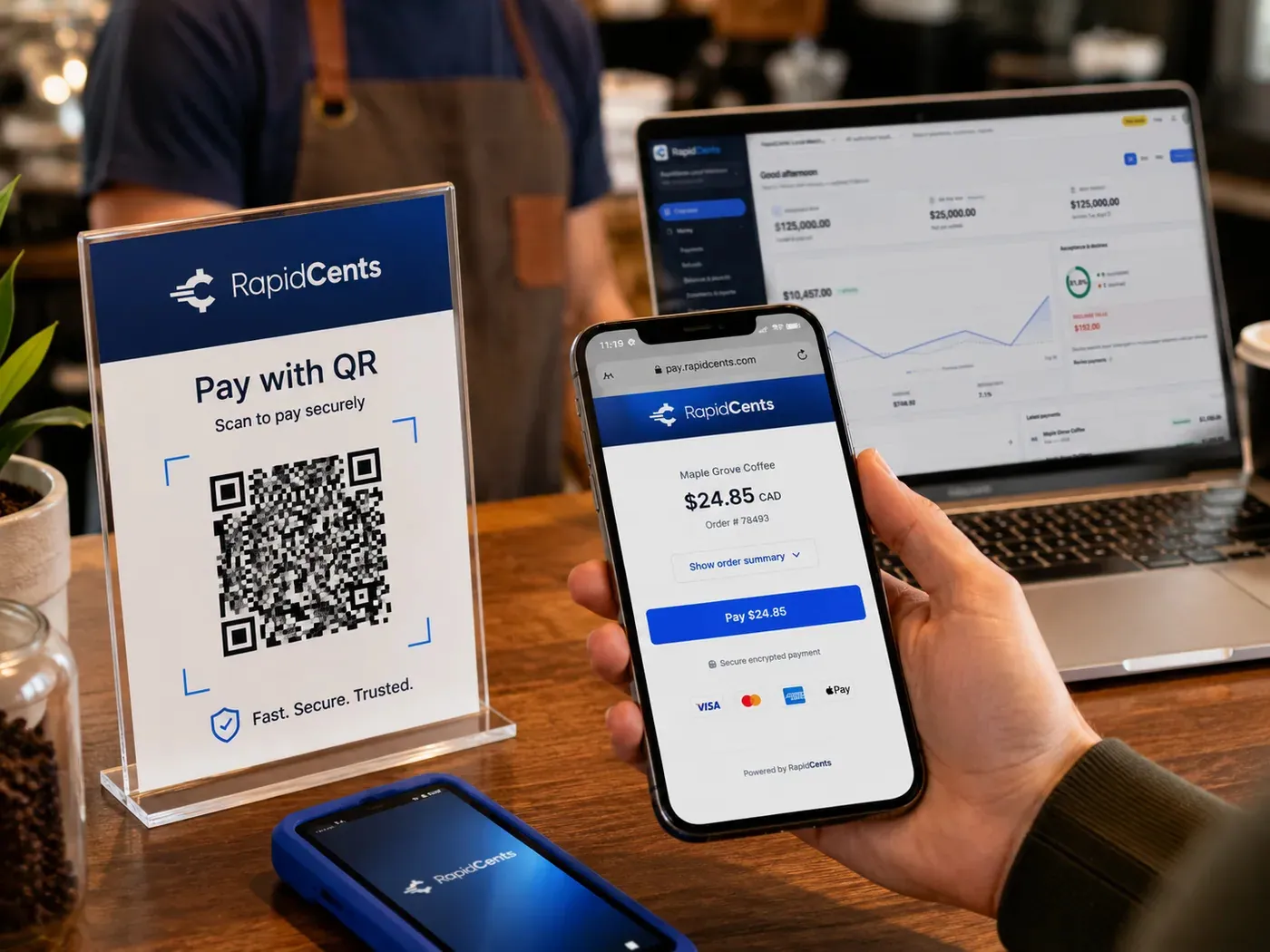
A scan-to-pay QR card standing on a café counter while a customer holds a phone showing the RapidCents payment page for a $24.85 order, with the merchant dashboard open on a laptop behind. QR Payments
RapidCents QR payments generate dynamic or static QR codes customers scan with their phone camera to open a…
Explore


How do you reconcile single washes against plan renewals?
You reconcile single washes and plan renewals by keeping each source apart from sale to deposit: lane sales by terminal, plan renewals by schedule, fleet payments by invoice. Car wash payment reconciliation then matches each source to the settlement report and to the wash software's own totals.
How the split works
Lane and counter sales come from Countertop Terminals, Tap to Pay and QR Payments, plan renewals from Recurring Payments schedules, and fleet payments from Invoicing. Reporting provides transaction, settlement and fee reports with CSV or PDF export, and Multi-Location adds location-level merchant IDs, so the transactions behind each deposit can be read by site.
What to set up first
Label every lane terminal and site so a report line says where the sale happened, keep plan charges on Recurring Payments schedules instead of keyed sales, and agree with your bookkeeper where the wash software's daily close fits. Your accountant decides how plan revenue is recorded; the payment record shows when each charge was taken.
What goes wrong
Timing causes most mismatches: a sale near midnight can close in the wash software on one day and settle on another, and a refund posts on the day it is issued, not the day of the wash. A member who washes at several sites is billed through one, so site totals follow the billing site unless your ledger splits them.
One site's deposit, line by line
One site's deposit covers 12 single washes at $14, six plan renewals at $39 and one $14 refund. Before fees, that is $168 in lane sales plus $234 in renewals, less $14, or $388. The settlement report lists the transactions, the wash software shows 12 lane sales, and the ledger matches once the refund is netted.
Compare car wash processing fees and total operating cost
Compare car wash credit card processing by putting interchange, your RapidCents markup, equipment and software costs side by side on your real mix of lane sales and plan renewals. RapidCents prices on interchange-plus, month to month with no fixed term, and Fee Check shows interchange separately from markup on your own statement.
Card mix and how the card is taken
Interchange is set by the card networks and passes through at cost. It varies with the card type (debit, credit, premium, commercial) and with how the card is taken. A tap or insert at the lane, a stored card billed on a plan, a keyed or online sale and a commercial fleet card can each carry a different interchange cost.
Small tickets, many transactions
A single wash and a monthly plan fee are small tickets taken very often, so the parts of a quote charged per transaction deserve as much attention as the parts that scale with the ticket. Ask how refunds and disputes appear in the Fee Schedule before you compare.
Markup, equipment and software
Your RapidCents markup is set out in your Fee Schedule, with fees for equipment or services where they apply. The agreement is month to month with no fixed term, so you can re-run the comparison when your mix changes. Add what sits outside RapidCents for the true total: wash software fees, pay station hardware and the staff hours spent reconciling by hand.
What to bring to Fee Check
Bring three recent processing statements, your average ticket for lane sales and for plan renewals, the split between lane, plan and fleet payments, your plan count, and refund and chargeback counts. Upload a statement to Fee Check to see interchange separated from markup, then ask any other provider to quote on the same figures.
Does RapidCents work with DRB SiteWatch, Washify and other wash software?
RapidCents integrates with many major platforms through APPIE and RapidBridge. The right option for DRB SiteWatch, Washify, Micrologic, ICS or Patheon depends on the vendor and version, and your RapidCents representative will walk you through it, including which data moves: amounts, receipts, member status or ledger postings.
DRB SiteWatch
If DRB SiteWatch holds your plan records and pay station sales, tell your RapidCents representative which edition you run. They will show you how plan renewals, receipts and member status connect, and how sales reconcile, whether through APPIE, RapidBridge, a payment link outside the software or a file export.
Washify
For Washify, start with who processes plan payments today. Tell your RapidCents representative your version, and they will show you how renewals, receipts and failed-card status pass between Washify and RapidCents, and how lane sales and the daily export line up in your books.
Micrologic and ICS
If Micrologic or ICS runs your lane, pay stations or tunnel sales, tell your RapidCents representative the model. They will explain whether cards are taken on that system or on a RapidCents terminal, and which one reports the sale to your wash records, so each lane has one clear path.
Patheon
If Patheon is your operations system, share your edition with your RapidCents representative. They will walk you through how amounts, member status and receipts move, by connection or by export, and how plans are billed in RapidCents with sales reconciled against Patheon.
Payment options for car washes by country
Which payment options a car wash can offer depends on the country of its merchant account. RapidCents serves merchants in Canada and the United States, and card types, bank payments and settlement currency are set per account. Your RapidCents representative will tell you what is live on yours before you advertise a method to members.
Card acceptance at the lane
Visa, Mastercard and American Express cards can be taken at the lane terminal, with debit networks and other card-present options set by the country of the merchant account. The interchange on debit differs from credit, so bring the split between them to every quote you request.
Bank payments for plans and fleets
Bank payments can collect a plan fee or a fleet invoice from a bank account instead of a card, and need the payer's authorization. Which bank-payment options exist depends on the country of the merchant account, and your RapidCents representative will walk you through yours.
Settlement currency and local rules
Deposits settle in the currency of the merchant account, which follows the country where the account is based. Local consumer and tax rules can also apply to plans that renew automatically, so check them for each site before you set plan terms; RapidCents does not give legal or tax advice.
Setup, switching and reconciliation checklist for car washes
A car wash owner or membership manager can switch to RapidCents in four moves: inventory every plan and stored card, test a sale, a refund and a renewal, run old and new setups side by side where needed, then reconcile the first deposits. Once your account is approved, do not move live traffic until a test payment, a refund and a deposit match your ledger.
Inventory what depends on the old processor
List every plan with its price, billing date and stored card, members on hold, open fleet invoices, pending refunds, lane terminals, pay stations and software connections. Export the member roster from the wash software. This list shows what must move, what must be re-authorized and what can stay until the next billing cycle.
Move stored cards only with both providers' agreement
Moving stored cards between processors needs both providers to agree, and RapidCents does not promise token portability. If the cards cannot move, members add a card again through a Payment Link or a QR Payments code, which also gives you a fresh authorization from each member. Tell members before their first renewal if the name on their statement will change.
Test, then run in parallel
On a quiet weekday morning, run a test sale, a refund, a plan renewal and a failed renewal, and follow each one through to a deposit. Keep the old processor billing existing plans until the new schedule has passed its tests, then move plans in one batch so no member is billed twice. Switch lane terminals one site at a time so a fault cannot stop every lane at once.
Map references and reconcile deposits
Match each payment reference to the member or transaction number in the wash software, then reconcile the first week of deposits to the ledger. RapidCents connects settled transactions, fees and refunds to QuickBooks Online and Xero, and you can use the CSV or PDF export for anything else your bookkeeper needs.
Payment questions from car wash operators
How should a car wash handle unlimited plan enrollment when choosing a payment provider?
For unlimited plan enrollment, choose a provider that saves the card with the member's agreement and bills it on a schedule you control. Ask how the member accepts the monthly amount, billing date and cancellation terms, how the receipt arrives and how the plan links to the plate or tag in your wash software. RapidCents uses Customer Profiles, the Secure Card Vault and Recurring Payments, and your representative shows you how the software link works.
How should a car wash handle failed membership renewal cards when choosing a payment provider?
For failed membership renewals, pick a provider that retries automatically, refreshes replaced cards where supported and lets you ask the member for a new one before a grace period ends. RapidCents Recurring Payments includes automated retries and Account Updater, and a Payment Link collects the missed amount. A closed or lost card needs a new card from the member. Your RapidCents representative will show how failed status reaches your wash software, since gate access may need a manual update.
How should a car wash reconcile single washes against plan renewals when choosing a payment provider?
Keep single washes and plan renewals apart from sale to deposit, and choose a provider whose reports let you do it. At RapidCents, lane sales come from terminals, Tap to Pay and QR Payments, renewals come from Recurring Payments, and the settlement report ties deposits to the transactions behind them. Match each source to the wash software's totals, net refunds on the day they are issued, and let your accountant decide how plan revenue is recorded.
How should a car wash handle unattended lane payment acceptance when choosing a payment provider?
Treat unattended lane acceptance as a hardware question first. Choosing a car wash pay station terminal starts with the unit itself: tell your RapidCents representative which pay station you run, and they will walk you through the options through APPIE and RapidBridge. Booths and attendants working the queue can use Countertop Terminals or Tap to Pay. A QR Payments code collects the money, but starting the equipment afterwards is a job for your wash controller.
Which payment options can a car wash offer, and do they depend on the country?
A car wash can offer card payments at the lane and stored-card billing for unlimited plans, and the rest depends on the country of the merchant account. RapidCents serves merchants in Canada and the United States; bank payments, debit networks and settlement currency are set per account, and your RapidCents representative will tell you what is live on yours.
How should a multi-location car wash handle plan reporting when choosing a payment provider?
A multi-location car wash should choose a provider with location-level merchant IDs and roll-up reporting, so each site's single washes and plan renewals can be read alone and together. RapidCents Multi-Location provides location-level MIDs, permissions and roll-up reporting. How a plan fee is shared when a member washes at several sites is a rule for your wash software and ledger, because card reports show where a charge was processed, not where the member washed.
Which payment processor is best for a car wash, and what should you compare?
No single processor is best for every car wash, so compare on your own mix of lane sales, plans and fleet accounts. Check how plan billing, retries and card updates work, whether the lane hardware suits attended or unattended pay stations, the fee schedule applied to your real statements, reporting by site and by plan, weekend support and your wash software's limits. Ask each provider for a written quote on the same figures.
What fees should a car wash expect for in-person and online card payments?
Expect three parts under interchange-plus pricing: interchange set by the card networks and passed through at cost, your RapidCents markup set out in your Fee Schedule, and fees for equipment or services where they apply. Interchange differs for a tapped debit card at the lane, a rewards credit card, a commercial fleet card and a stored card billed online. Upload a statement to Fee Check to see interchange separated from markup. Month to month, no fixed term.
Can I use RapidCents with DRB SiteWatch or Washify?
APPIE and RapidBridge connect RapidCents to many major platforms, and the exact option depends on your vendor and version. Tell your RapidCents representative whether you run DRB SiteWatch or Washify, and they will show you how payments, receipts and membership billing connect to it, whether by connection, a payment link outside the software or a file export.
How can a car wash reduce payment disputes and protect stored card details?
A car wash reduces disputes by making the terms visible, keeping a record of the agreement and limiting who can touch stored cards. Show the monthly amount, billing date and cancellation steps at sign-up, send the notice before each charge and publish a refund policy. RapidCents offers Payment Tokenization, the Secure Card Vault, Virtual Terminal role permissions with an audit log, and Disputes and Chargeback Protection for alerts, evidence and deadlines. No tool promises a dispute outcome, and damage claims follow your own insurer, not the card record.
How can a car wash switch payment providers without losing member billing records?
A car wash keeps its member billing records by taking inventory first, testing second and switching third. List every plan, stored card, billing date, open fleet invoice and pending refund, and export the member roster. Then follow a test sale, a refund, a plan renewal and a deposit through to your ledger before moving live traffic. Stored cards may not move between processors, because both providers must agree; if they cannot, members add a card again, and RapidCents does not promise token portability.
What MCC is used for car washes?
MCC 7542 is commonly associated with car washes. An MCC is a four-digit code that card networks use to classify a business. RapidCents sets the correct merchant category during onboarding based on what the business actually sells, so describe every service you offer, including unlimited plans, single washes, detailing and fleet accounts.
Industries with similar payment workflows
Parking operators bill monthly passes to cards on file, towing and roadside crews take payment at the scene, and automotive shops take counter and phone payments. These industries share recurring billing, mobile acceptance and per-site reporting with car washes.
Taxi & Transportation
Take card fares and tips in the vehicle, reconcile each driver's takings by shift and…
Parking
Take cards at booths and event gates, let drivers pay by plate or QR code, and bill…
Towing & Roadside
Take release fees at the yard gate, card payments at the roadside and invoices for…
Automotive
Take the parts deposit, the phone-approved repair, the insurance deductible and the…
Car Dealerships
Take holding deposits by payment link, ring service and parts tickets on terminals, and…
Limousine & Charter
Take a booking deposit, adjust for wait time and gratuity, and capture the final fare…
Courier & Delivery
Bill business accounts on terms, take card payments from walk-in senders and collect from…
Driving Schools
RapidCents helps driving schools sell lesson packages online, collect installments and…
Take the next step
See interchange and markup on your car wash statement
Upload a recent statement to Fee Check and see interchange separated from markup on your own mix of lane sales, plan renewals and fleet payments. Bring your plan count and average tickets to compare quotes like for like.
- No obligation
- Payment specialists, not a call centre
- Secure statement upload



