


Payment processing for driving schools
Driving school payment processing from RapidCents covers online package sales, front-desk and in-car card payments, payment links and recurring installments. You can prepay a lesson package, collect the balance in installments and bill the road test fee separately, with records that match each student's balance and a representative who helps you set it all up.

- PCI DSS Level 1
- SOC 2 Type II
- All major cards: Visa, Mastercard, Amex, Discover, UnionPay, Diners Club & PIN Debit
- Interchange-plus available
- Specialist onboarding support
How driving schools get paid
Driving schools get paid in four ways: a prepaid lesson package, a series of installments, a separate road test fee and a refund when a student leaves. Each one starts with a payer, a trigger and a record that finance can match to the student's balance.
Lesson package prepayment
A student or parent buys a lesson package before the first drive. The charge is triggered at online booking or at the front desk, collected through Hosted Checkout or a terminal, and finance receives a receipt tied to the student profile and the package sold.
Course installments
Driving school course installments let a family split a course across scheduled charges. The schedule runs in Recurring Payments once the payer agrees to amount, timing and cancellation. Staff follow up on declined charges, and the settlement report shows each installment as it lands.
Road test and re-test fees
The road test fee is billed apart from the package. Office staff send a Payment Link by SMS or email, the student or parent pays on a phone, and the receipt records the fee separately so it never blends into the lesson balance.
Refunds on withdrawal
When a student withdraws, the office works out unused lessons and refunds the card used for the purchase. The refund is issued from the Merchant Dashboard or Virtual Terminal, and the report links it back to the original package payment.
How do driving schools collect course package prepayment?
A driving school collects course package prepayment by selling the package through Hosted Checkout or at the front desk before any lesson is booked. The payer sees the package contents and terms, pays by card and receives a receipt. Staff then record the package on the student profile.
Run the sale and set terms first
Driving school online payments start when the payer chooses a package on your website and pays through Hosted Checkout, or staff take the card at the front desk on a terminal. Show lessons included, expiry, reschedule notice and refund rules before payment, so the receipt matches the agreement.
Handle declines and second payers
If a card declines, staff send a Payment Link by SMS or email, or take the card by phone in the Virtual Terminal with AVS and CVV. A second parent can pay a top-up the same way, and both payments attach to one student profile.
A $900 ten-lesson package, bought on Sunday night
Say a parent buys a ten-lesson beginner package for $900 on a Sunday night. The charge appears in the settlement report, the office adds ten lessons to the student profile, and Monday's booking draws from that balance.
How do lesson drawdowns against a package balance work?
A lesson drawdown reduces the prepaid package balance in your scheduling software or on the student profile, not on the card. The card was charged once at purchase, so each lesson needs a balance record rather than a new payment. Payments return only when the package runs out or an add-on is bought.
Keep the balance in one place
Card processing records the money received, while lesson counts live in your booking tool or in the Customer Profiles notes. Pick one as your source of truth and have instructors mark each lesson complete there, never by charging again.
Plan for extras and expiry
Extra lessons, a test-day car rental or a missed-lesson fee each get their own charge. An instructor with a driving instructor card reader, such as a mobile terminal or Tap to Pay on a supported phone, can take it at the car; otherwise send a Payment Link. Set a rule for unused lessons at expiry.
Six lessons used, four more bought
Say a student finishes six of ten lessons, then asks for four more. Staff send a Payment Link for the added block, the new payment joins the same profile, and the lesson count shows eight remaining without touching the first charge.
RapidCents products for driving schools
Hosted Checkout sells packages online, Recurring Payments runs installments, Payment Links bill road test fees and extras, and Customer Profiles keep payers, cards and balances together.

The RapidCents recurring payments screen showing active subscriptions, monthly recurring revenue, failed payments and upcoming renewals, above a list of subscriptions with their plan, amount, frequency and next billing date. Recurring Payments
RapidCents recurring payments manage subscription plans, membership renewals and installment schedules with…
Explore
The RapidCents payment links screen listing created links with their amount, status, click count and whether they have been paid, beside a phone showing the branded page a customer opens to pay $2,500.00. Payment Links
RapidCents payment links let staff generate branded pay-by-link URLs for invoices, deposits, balances and…
Explore
A RapidCents hosted checkout page at checkout.rapidcents.com, with the order summary and totals on the left and the card fields on the right, footed by SSL and PCI DSS assurances. Hosted Checkout
RapidCents hosted checkout delivers PCI-scoped payment pages you redirect customers to or embed via iframe…
Explore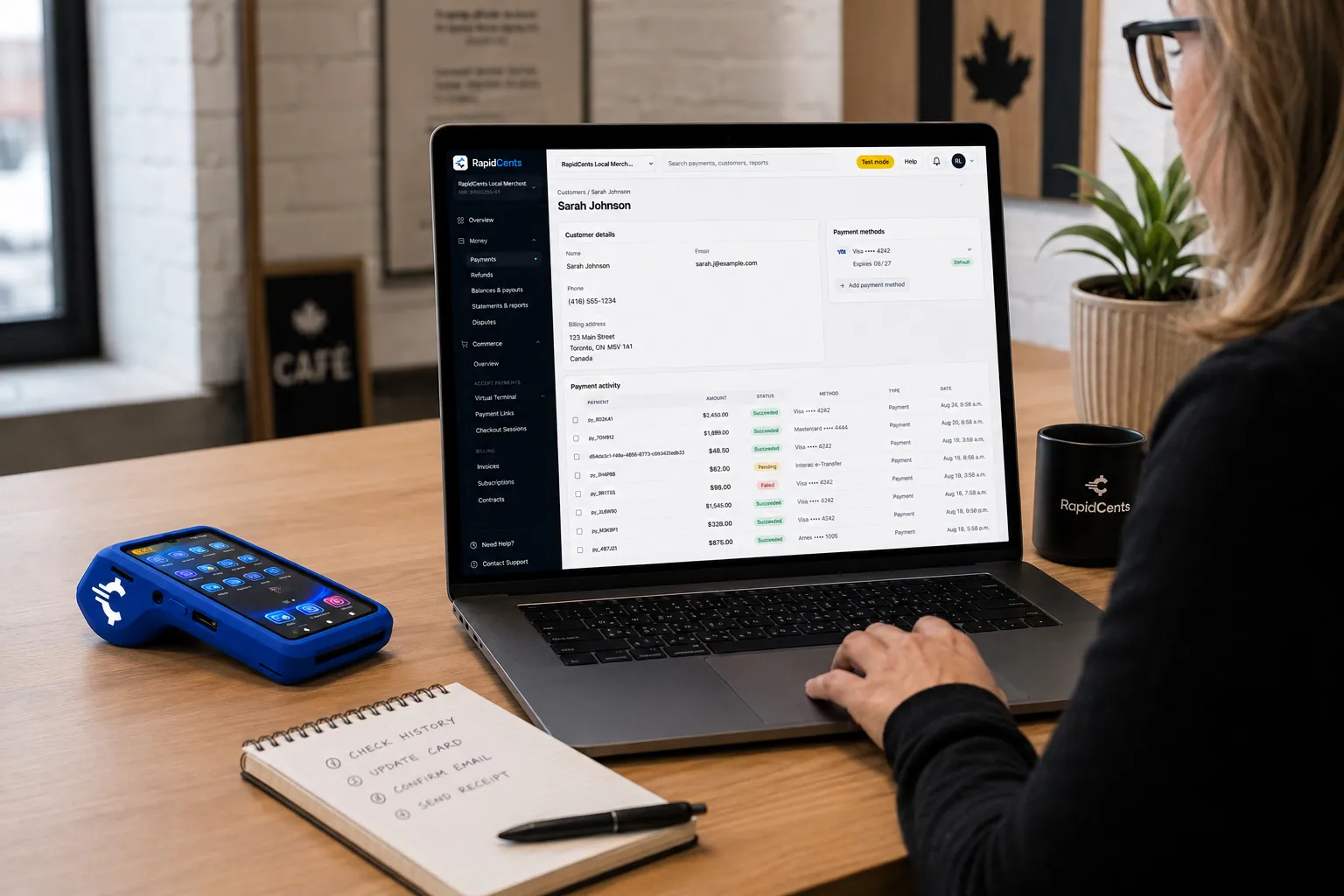
A RapidCents customer profile holds saved cards and invoices, so a return visit can be charged without re-keying the card. Customer Profiles
A customer profile ties together transactions, stored payment methods, subscriptions and disputes so staff…
Explore


Who pays: the student or the parent?
The payer is whoever authorizes the card, and that person is the one named on the receipt and the stored card record. A teenager's lessons are often paid by a parent, while an adult student pays personally. Record the payer's name separately from the student's name.
Name the payer on every record
Create a Customer Profile for the student and note the paying parent's name and email on it. Receipts and refunds then go to the person who paid, which avoids disputes from a cardholder who does not recognize the school.
Get authorization from the cardholder
A parent who wants installments agrees to amount, timing and cancellation before the card is stored. A student cannot authorize a parent's card, so the cardholder completes the agreement personally through a Payment Link or Hosted Checkout.
A mother pays, her daughter cancels
Say a seventeen-year-old books a course and her mother pays the first installment online. Weeks later the student cancels and asks for a refund; staff refund the mother's card, since she was the payer on the receipt.
Compare processing fees and total operating cost
Your cost depends on card mix, channels and refunds, not on a headline number. RapidCents prices on interchange-plus: interchange passes through at cost, your RapidCents markup is set out in your Fee Schedule, and equipment or service fees apply if applicable. It is month to month with no fixed term.
What drives interchange
Interchange varies with card type, such as debit, credit, premium or commercial, and with how the card is taken. A tapped or inserted card at the front desk differs from a keyed or online card. Your mix of online package sales and front-desk payments shapes the total.
What to bring to a comparison
Bring recent processing statements, your split between online and in-person sales, average package size, refund volume and any chargebacks. Ask each provider for a written quote that lists terminal, monthly and service fees on the same basis.
Run Fee Check
Upload a processing statement to Fee Check, and it separates interchange from markup so you can see what the school pays for what. Then compare the result with the Fee Schedule you are offered, rather than relying on a quoted headline.
Drive Scout and the rest of your school software
RapidCents integrates with many major platforms through APPIE and RapidBridge, so most schools keep the scheduling and form tools they run today. The right option depends on your software vendor and version, and your RapidCents representative will walk you through how payments connect to your student balances.
Drive Scout, DrivingSchoolSoftware.com and Teachworks
These tools manage lessons, students and packages. Tell your RapidCents representative which one you use and which edition, and they will show you how payments reach student balances. Payment Links and the settlement report keep every package payment easy to match from day one.
Acuity Scheduling and Jotform
Acuity Scheduling takes online bookings and Jotform builds enrollment forms. Your RapidCents representative will explain the option that fits your plan. A simple route is a form that collects the details while staff send a Payment Link for the charge.
QuickBooks Online, Xero and larger systems
RapidCents connects settled transactions, fees and refunds to QuickBooks Online and Xero, so your books show deposits, fees and refunds separately. SAP and NetSuite import settlement files, and your RapidCents representative will walk you through the setup for your system.
Payment options for driving schools by country
RapidCents serves merchants in Canada and the United States. The payment methods, bank-payment options and settlement currency a driving school can use depend on the country of its merchant account, and your RapidCents representative will walk you through them before you plan pricing or student payment terms.
Cards first, bank payments by country
Card payments online and at the front desk are the starting point for package sales. Bank-payment options and debit types differ by country, and your RapidCents representative will explain the ones that fit your account.
Local rules for contracts and refunds
Rules for driving school contracts, tuition and refunds differ by region. Check them with your regulator or advisor; card processing records payments and does not decide refund rights.
Setup, switching and reconciliation checklist
Once your account is approved, switch in this order: list what you owe students, test one sale, one refund and one deposit, then move live traffic. Run the old and new flows side by side where needed, and reconcile deposits to the ledger before closing the old account. Your representative guides each step.
Inventory balances and stored cards
List every open package balance, active installment schedule, stored card authorization, terminal and website payment form. Saved cards may need a migration handled by both providers, so talk to your RapidCents representative early and tell students what to expect once the plan is set.
Test before going live
Run a test sale, a refund and a deposit match on the new account, and check the receipt wording and payment references. Keep the old flow running alongside until the first full week of deposits reconciles.
Reconcile to the ledger
Driving school student balance collection ends in the ledger: match each deposit to settled transactions using the settlement report, with fees and refunds shown separately. Map payment references to the student profile so that package balances and the ledger tell the same story.
Payment questions from driving schools
How should a driving school handle course package prepayment?
Sell the package through Hosted Checkout or at the front desk, and show lessons included, expiry and refund rules before payment. The payer receives a receipt, and staff record the package on the student profile. Keep the receipt, the booking record and the settlement report matched, so one transaction can be traced across all three.
How should a driving school handle lesson drawdowns against a package balance?
Track lessons used in your booking software or student profile, not by charging the card each time. The card is charged at purchase, so each lesson needs only a balance entry. Decide who updates the count, and take a new payment only when the student buys more lessons or add-ons.
How should a driving school handle student versus parent payers?
Record the payer as well as the student, and take authorization from the cardholder. A parent paying for a teenager should receive the receipts and any refund. Create the Customer Profile for the student, add the payer's name and contact, and never store a card without the cardholder's agreement.
How should a driving school bill separate road test charges?
Bill the road test fee as its own charge with a Payment Link, so it is never mixed into the lesson balance. Send the link by SMS or email, let the payer pay on a phone, and label the receipt clearly. A re-test gets a new link, which keeps each fee traceable.
Which payment options are available to driving schools in each country?
Payment options for a driving school depend on the country of its merchant account. RapidCents serves merchants in Canada and the United States, and the card types, bank-payment options and settlement currency differ between them. Your RapidCents representative will walk you through the methods for your country, then you can match your package and installment terms to them.
How should a driving school handle course cancellation and refunds?
Refund to the original card for the amount your written policy allows, and keep that policy visible before purchase. Work out unused lessons first, issue the refund from the Merchant Dashboard or Virtual Terminal, and note the reason on the student profile. Refunds follow card network rules and your own policy.
Which payment processor is best for driving schools, and what should we compare?
The best fit is the one that matches your own payment mix, so compare on that. Ask each provider for a written quote covering interchange, markup, terminal and monthly fees, plus refund and dispute handling, reporting, support and software fit. Test how prepayment and installments run before you sign, and look for month-to-month terms.
What fees should driving schools expect for in-person and online card payments?
Expect interchange, a processor markup, and fees for equipment or services, if applicable. With RapidCents, interchange passes through at cost, your markup is in your Fee Schedule, and the plan is month to month. In-person and online cards price differently, so request a written quote based on your channel mix and run Fee Check on a current statement.
Can we use RapidCents with Drive Scout or DrivingSchoolSoftware.com?
RapidCents integrates with many major platforms through APPIE and RapidBridge, so most schools keep the software they run today. The right option depends on your vendor and version. Tell your RapidCents representative which system you use, and they will show you how payments, receipts and student balances connect to it.
How can driving schools reduce payment disputes and protect stored card details?
Clear authorization, plain receipts and a visible refund policy reduce disputes. Limit staff access by role, store cards only with the cardholder's authorization, and use tokenization so card numbers are not kept in your own systems. Keep receipts and booking records so you can supply evidence if a dispute arrives.
How can driving schools switch payment providers without losing billing records?
List open balances, installment schedules, stored cards, terminals and software dependencies first, then test one sale, one refund and one deposit on the new account. Saved cards may need a migration handled by both providers, so start that conversation early. Export reports from your old processor before closing it.
What MCC is used for driving schools?
MCC 8299 is commonly associated with driving schools. RapidCents sets the correct merchant category code during onboarding, based on what your business actually sells, such as lessons, courses or vehicle services. Describe your offerings accurately on the application so your account is set up correctly.
Related industries
Taxi, parking, towing, automotive and car wash businesses share front-desk card payments, payment links and customer records with driving schools.
Taxi & Transportation
Take card fares and tips in the vehicle, reconcile each driver's takings by shift and…
Parking
Take cards at booths and event gates, let drivers pay by plate or QR code, and bill…
Towing & Roadside
Take release fees at the yard gate, card payments at the roadside and invoices for…
Automotive
Take the parts deposit, the phone-approved repair, the insurance deductible and the…
Car Wash
Single washes at the pay station, unlimited plans on monthly autopay and the renewals…
Car Dealerships
Take holding deposits by payment link, ring service and parts tickets on terminals, and…
Limousine & Charter
Take a booking deposit, adjust for wait time and gratuity, and capture the final fare…
Courier & Delivery
Bill business accounts on terms, take card payments from walk-in senders and collect from…
Take the next step
Check what your driving school pays to take cards
Upload a recent processing statement to Fee Check and see interchange separated from your markup before you move package sales, installments and road test fees.
- No obligation
- Payment specialists, not a call centre
- Secure statement upload



