


Payment processing for staffing agencies and weekly invoices
Payment processing for staffing agencies means collecting weekly timesheet invoices, recruitment placement fees and disputed balances from business clients while your own payroll goes out on a fixed schedule. RapidCents sends invoices with payment links, takes card and bank payments, and reports settled amounts by client reference, so finance sees every client and week.

- PCI DSS Level 1
- SOC 2 Type II
- All major cards: Visa, Mastercard, Amex, Discover, UnionPay, Diners Club & PIN Debit
- Interchange-plus available
- Specialist onboarding support
How staffing agencies get paid
A staffing agency collects from business clients, not from the workers it places. Most money arrives against weekly timesheet invoices, while placement fees, disputed balances and slow accounts are separate payment jobs, each with its own reference and its own record.
Weekly timesheet invoices
The client approves the week's hours, you issue one invoice per placement or site, and the client pays by payment link or bank payment. Finance receives a settled record tied to the client and week.
Recruitment placement fees
A direct-hire placement ends in a one-time fee. Once the offer is accepted, the hiring manager pays the invoice by card or bank payment, and your records show the fee against the candidate and the contract.
Disputed invoice balances
When a client questions some hours, you collect the agreed part now and keep the contested part open. The client pays the undisputed amount, and the remaining balance stays on its own reference until resolved.
Slow accounts before payroll
Your workers are paid on a set cycle whether or not the client has paid. Your accounts receivable team sends reminders with payment links on overdue invoices and watches which clients still owe money before payroll day.
How do staffing agencies collect weekly timesheet invoices?
Staffing invoice payment processing works best when each approved timesheet becomes one invoice with a payment link, and each payment returns to your records with the client and week attached. RapidCents Invoicing and Payment Links handle the collection, and your staffing software keeps the timesheets.
How the weekly run works
The client approves hours, your system produces the invoice, and you send it through RapidCents Invoicing with a payment link. The client's accounts payable clerk pays by card or bank payment, and the receipt carries the invoice number you issued.
What to set up first
Agree which reference every payment must carry: client code, placement and week ending. Decide whether clients may pay by card, bank payment or both. If a client wants its bank account debited each week, get written authorization first.
Declines, partial payments and refunds
A declined card leaves the invoice open, so resend the link or ask for a bank payment. A client may pay only part of an invoice, and a credit note after a timesheet correction is returned as a refund to the original payment.
A $9,600 weekly invoice, paid on Tuesday
Say a light-industrial agency has twelve workers at one warehouse and issues a $9,600 invoice for the week ending Friday. The client pays by link on Tuesday. The agency's controller sees the payment by invoice number in the settlement report and closes the item.
How do you take recruitment placement fee payments?
Recruitment placement fee payments are one-time invoices tied to a start date, so you collect them with a payment link or a Virtual Terminal entry once the client confirms the hire. Set the fee terms in your agreement first, then take the payment against the candidate's reference.
How a placement fee is collected
After the candidate accepts, you send the fee invoice by email with a payment link. The hiring manager or finance contact pays by card or bank payment. If the client prefers to call, your staff can key the card in the Virtual Terminal.
What to settle in the agreement
Put the fee schedule, due date and replacement period in your contract and let the client sign it, since the payment record does not replace the agreement. If you keep a card for a later balance, the client must authorize that charge.
When the candidate leaves early
If your agreement provides a replacement or a partial credit, issue the refund to the original card or bank payment and note the candidate. A card dispute is answered with the signed agreement, the invoice and the start confirmation.
A $14,000 placement fee, paid in two parts
Say an accounting recruiter places a controller and invoices a $14,000 fee at the start date. The client pays half by link at once and the remainder on the date agreed. Both payments show under one placement reference in your reports.
RapidCents products for staffing agencies
These products cover the staffing billing cycle: Invoicing and Payment Links collect each weekly invoice, bank payments suit large recurring balances, and Reporting gives your finance team settlement and fee detail by client.

The RapidCents invoices screen: outstanding, overdue, paid and draft totals across the top, the invoice list below them, and a preview of one invoice on the right with its line items and a View & Record Payment button. Invoicing
RapidCents invoicing helps professional services, contractors and B2B suppliers create branded invoices…
Explore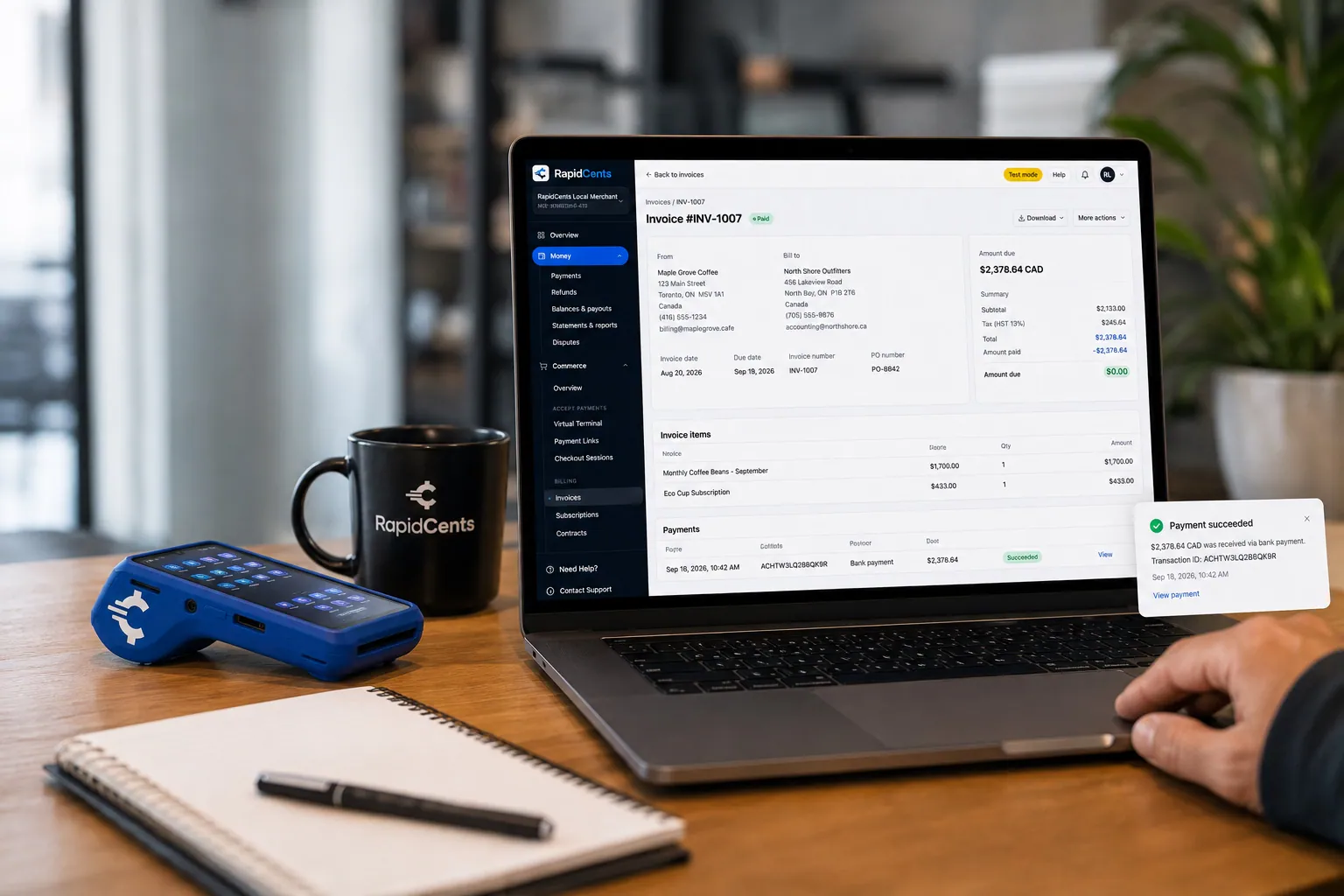
A merchant invoices a customer for bank debit through RapidCents, with card terminal capture available on the same desk. Bank Transfer / Bank Payments
Bank payments suit recurring and high-value invoices where card fees are the wrong tool. Collect directly…
Explore
The RapidCents payment links screen listing created links with their amount, status, click count and whether they have been paid, beside a phone showing the branded page a customer opens to pay $2,500.00. Payment Links
RapidCents payment links let staff generate branded pay-by-link URLs for invoices, deposits, balances and…
Explore
A merchant reviews RapidCents reports for volume, mix and payouts, with the terminal that took the sales on the desk. Reporting
RapidCents reporting delivers customizable transaction, settlement and fee reports with CSV and PDF export…
Explore


How do you collect a disputed invoice balance separately?
Temporary staffing B2B card payments become simpler when a disputed invoice is split into an agreed amount and a contested amount. Collect the agreed part now by payment link, keep the contested part open on its own reference, and resolve it with a credit note or a second payment.
How the split works
Ask the client which lines are accepted. Send a payment link for that amount, marked with the original invoice number. The disputed lines stay unpaid and are tracked by your accounts receivable lead until the timesheet question is answered.
What to settle before you split
Write the agreed amount in an email so the client has accepted it. Your RapidCents representative sets up partial payment links with you. Never press a client to pay hours it has not approved, because that invites a card dispute.
When the dispute ends
If the hours are corrected downward, issue a credit note and refund anything overpaid to the original payment. If the client agrees to pay the rest, send a final link. Card disputes follow the network deadlines, so keep timesheet approvals ready.
A $6,200 invoice with $800 in question
Say a medical staffing agency invoices $6,200 and the client questions one night shift worth $800. The client pays $5,400 by link that day. After the supervisor signs the shift sheet, the agency sends a link for the final $800.
How do you compare payment fees using your real payment mix?
Compare staffing payment fees by sorting your volume into card type, bank payments and invoice size, then asking each provider for an itemized quote. RapidCents prices on interchange-plus, month to month with no fixed term, so interchange can be read separately from markup.
What drives the cost
Interchange is set by the card networks and varies with debit, credit, premium or commercial cards and with how the card is taken. It passes through at cost. Your RapidCents markup is set out in your Fee Schedule, plus fees for equipment or services, if applicable.
What large invoices change
Staffing invoices are often large and paid by corporate cards, so card type matters. A bank payment may suit a high-value weekly invoice better than a card. Your RapidCents representative will walk you through which payment methods your account can use.
What to bring for the comparison
Bring recent processing statements, your split between cards and bank payments, average invoice size, refund and dispute volume, and how many clients pay each week. Upload a statement to Fee Check to see interchange shown apart from markup.
Which staffing software works with RapidCents payments?
RapidCents integrates with many major platforms through APPIE and RapidBridge, so most agencies keep the staffing software they run today. The right option depends on your vendor and version, and your RapidCents representative will walk you through it. For your ledger, we connect settled transactions, fees and refunds to QuickBooks Online and Xero.
Bullhorn
Bullhorn holds candidates, placements and billing in many agencies. Tell your RapidCents representative which edition and country you run, and they will show you how payments, receipts and settlement detail connect to it, whether through a payment link or a settlement import.
Avionte
Avionte may run your timesheets and invoices. Your RapidCents representative will walk you through how payments and invoice references connect for your version, so each payment still lands against the invoice you issued.
TempWorks and AkkenCloud
TempWorks and AkkenCloud both manage staffing back-office billing. Your RapidCents representative will show you how invoices carry a payment link and how settlements match back to them, by import file or another option that suits your edition.
Tracker and your ledger
Tracker is handled the same way: your representative maps the options to your version. For your ledger, RapidCents connects settled transactions, fees and refunds to QuickBooks Online and Xero, while SAP and NetSuite import settlement files.
Payment options for staffing agencies by country
RapidCents serves merchants in Canada and the United States. The payment methods, bank-payment options and settlement currency for a staffing agency follow the country of the merchant account, and your RapidCents representative sets them up with you.
Cards on every account
Credit cards from the major networks are the common starting point for paying an invoice through a link. Your RapidCents representative walks you through the networks and card types your account accepts during onboarding.
Bank payments and currency
Bank payment options, authorization rules and settlement currency differ by country. Your RapidCents representative will explain which methods your merchant account can use and in what currency your clients are charged and you are paid.
How do you switch processors and reconcile staffing payments?
Switching payment processors for a staffing agency is a short project: list open invoices and stored authorizations, test one invoice, one refund and one split payment, then move clients over in groups. Reconcile each settlement to your ledger by client and week ending.
Take inventory first
Once your account is approved, your RapidCents representative helps you plan the move. List unpaid invoices, stored cards, bank payment authorizations, scheduled debits and open refunds. Stored cards do not transfer automatically, so some clients will authorize payment again.
Test before you move clients
Send yourself a test invoice, pay it, refund it and run a split payment on another. Check the payment reference, the refund record and the settlement line. Run old and new flows side by side for a few billing weeks if you can.
Reconcile by client and week
Use the settlement report to match each deposit to invoice numbers, then post the result to your ledger. A shared reference format, such as client code and week ending, lets your accounts receivable lead close items quickly and see what is still open.
Payment questions from staffing agencies
What is the best payment processor for staffing agencies?
The best fit is the one that handles weekly timesheet invoices, placement fees and disputed balances the way your agency bills. Compare total fees, software compatibility, support and reconciliation reports, and ask each provider for a written, itemized quote based on your own statements. Your RapidCents representative can show you the invoice and settlement flow for your agency.
How much does credit card processing cost for staffing agencies?
The cost depends on your card mix, invoice size and how payments are taken, so we quote it from your own statements rather than as one number. Pricing is interchange-plus: interchange passes through at cost, your RapidCents markup is in your Fee Schedule, and fees for equipment or services apply if relevant. Fee Check reads a statement and shows each part.
Can Bullhorn use a different payment processor?
Often, yes. Many agencies keep Bullhorn for timesheets and billing and take payment through RapidCents, which integrates with many major platforms through APPIE and RapidBridge. The right option depends on your Bullhorn edition and version, whether that is a payment link on the invoice with a settlement import to match payments or another route. Your RapidCents representative will walk you through it.
How can staffing agencies switch processors without losing payment history?
List unpaid invoices, stored cards, bank payment authorizations, refunds and transaction references before you move. Keep your old reports for history. Stored cards are not moved automatically, and both providers must agree before any token transfer, so some clients may need to authorize payment again. Test a full cycle, then migrate clients in groups.
Which payment options are available to staffing agencies by country?
RapidCents serves merchants in Canada and the United States, and the options for a staffing agency follow the country of the merchant account. Cards are the usual starting point. Bank payment methods, authorization rules and settlement currency differ, so your RapidCents representative will walk you through what fits your agency before you offer anything to clients.
How can we collect weekly timesheet invoices online?
Issue one invoice per approved timesheet through RapidCents Invoicing and send it with a payment link. The client pays by card or bank payment, and the settlement report shows the amount by invoice number. Your staffing software keeps the timesheets. Agree the reference format first, and get written authorization before you debit any client account on a schedule.
How can we take a payment for a placement fee?
Send the fee invoice with a payment link once the client confirms the hire, or key the card in the Virtual Terminal if the client calls. Put the fee terms in a signed agreement first, and note the candidate and start date on the reference. Refunds under your replacement terms go back to the original payment.
How can we match payments to client and timesheet references?
Give every invoice a reference built from client code, placement and week ending, and keep it on the payment link. Settled transactions then appear in the Reporting exports with that reference, and your accounts receivable lead can match them to open items. Your staffing software remains the record of hours and approvals.
How can we collect a disputed invoice balance separately?
Ask the client which lines it accepts, send a payment link for that amount and keep the contested lines open under the original invoice number. When the question is resolved, issue a credit note and refund any overpayment, or send a final link. Never press a client to pay hours it has not approved.
How can we reduce slow collections while payroll is due?
Make paying easy and make overdue items visible. Put a payment link on every invoice, send reminders with a fresh link, and review open balances by client before each payroll date. RapidCents processes the payments you collect, but it does not advance money or change what your clients owe, so plan cash flow accordingly.
What MCC is used for staffing agencies?
MCC 7361 is commonly associated with employment agencies and temporary help services. RapidCents sets the correct merchant category during onboarding, based on what your business actually sells. An agency that places workers and one that also sells other services may be classified differently, so describe your full activity when you apply.
Related industries
Accounting firms, IT and managed services, and security guard services also bill by the hour and collect invoices from business clients. Their invoicing and reconciliation routines look a lot like yours.
Law Firms
RapidCents helps law firms collect retainers by payment link, send invoices with a link…
Accounting Firms
Charge monthly bookkeeping and payroll fees on a schedule, collect tax preparation…
Professional Services
Charge monthly retainers, send branded invoice links and collect milestone balances from…
B2B & Wholesale
Collect net-terms invoices by payment link with the PO number attached, take commercial…
Insurance
Collect down payments at binding, monthly installments and agency fees by payment link…
Real Estate
Collect application fees, service fees and keyed deposits by payment link or Virtual…
Property Management
Collect rent by card and bank payment, set up recurring autopay, invoice maintenance…
Freight & Logistics
RapidCents helps carriers, brokers and 3PLs invoice shippers, collect by payment link…
Take the next step
Compare your agency's processing costs
Upload a recent processing statement to Fee Check and see interchange separated from your markup, then see how weekly invoices, placement fees and disputed balances would run with RapidCents.
- No obligation
- Payment specialists, not a call centre
- Secure statement upload



