


Tour operator payment processing for deposits, balances and refunds
Tour operator payment processing from RapidCents lets you take booking deposits and final balances online, by payment link or by phone, refund weather cancellations to the original card, and let guides collect add-ons on site. It is built for operators who sell their own tours directly, with interchange-plus pricing and no fixed term.

- PCI DSS Level 1
- SOC 2 Type II
- All major cards: Visa, Mastercard, Amex, Discover, UnionPay, Diners Club & PIN Debit
- Interchange-plus available
- Specialist onboarding support
How tour and adventure operators get paid
Tour and adventure operators get paid in four jobs: a deposit that secures the departure, a final balance before the trip, a refund or credit when weather changes the plan, and add-ons the guide sells on the day. RapidCents covers each with a payment link, the Virtual Terminal, Online Payments or a Mobile Terminal.
Booking deposits
A guest or group organizer reserves a departure and you collect a deposit by payment link, from your website or through the Virtual Terminal for phone bookings. Your written terms set the amount and what is refundable. Finance sees the booking reference on each receipt and report.
Final balances
Before departure, you send the balance as a payment link by SMS or email, or charge a stored card the guest agreed to in writing. Partial payments and group shares are tracked per booking, and unpaid balances show on the dashboard before the safety briefing.
Weather refunds and rebooking credits
When wind, snow or river levels cancel a departure, you apply your published policy: a refund to the original card, a partial refund for a shortened trip, or a rebooking credit. Each refund links back to the booking so finance can reconcile it.
Guide add-ons in the field
On the day, a guide sells photo packages, gear rentals, tips or an upgrade on a Mobile Terminal or Tap to Pay. The sale is tagged to the departure and the guide, then reconciled against the deposits and balances you already collected.
How do tour operators collect deposits and final balances?
Tour operators collect tour booking deposits at reservation and the final balance before departure, using payment links, online checkout or the Virtual Terminal. Your written booking terms set the amounts, and your RapidCents representative walks you through how deposits taken weeks ahead of a tour are handled.
Set up the terms first
Publish deposit and balance terms on the booking page, in the confirmation email and on the payment link, and ask the guest to agree to them. Use Online Payments for your site and a Payment Link for phone or email bookings. Each receipt carries the booking reference.
Declines, groups and late disputes
Expect a declined balance, an organizer paying for ten guests on one card, or a guest who disputes a charge months after booking. Keep the agreed terms and itinerary ready for Disputes. Charge a stored card only for the amount and date the guest agreed.
A family raft trip, deposit first
Say a river rafting operator books a family of four on a full-day trip and collects a $200 deposit by payment link. Ten days before departure it sends the balance link, the family pays, and the receipt shows the departure date and booking number.
How should weather cancellations be refunded?
Weather cancellation refunds follow your published policy and go back to the original card, as a full refund, a partial refund or a rebooking credit, with the reason recorded against the booking. RapidCents processes the refund, while the policy and the decision to cancel stay with you.
How the refund runs
The operator cancels the departure, then refunds each booking from the Merchant Dashboard or the Virtual Terminal. Guests see the refund on their card, and how long it takes depends on their card issuer. A rebooking credit lives in your booking system and is not a payment.
Expired cards, short trips and disputes
Watch for guests whose card has expired or been replaced, partial refunds when a trip is cut short mid-day, and guests who dispute a charge instead of waiting. Send a refund confirmation and keep your cancellation policy where guests agreed to it.
A foggy sailing, eighteen guests
Say a whale-watching operator cancels a morning sailing because of fog. Eighteen guests have paid. Staff refund fifteen to their original cards and give three the choice of a rebooking credit, recording the weather reason on each booking for the month-end report.
RapidCents products for tour and adventure operators
Online Payments take bookings on your site, Payment Links collect deposits and balances by SMS or email, Mobile Terminals serve guides in the field, and Disputes keeps evidence ready when a guest questions a charge.
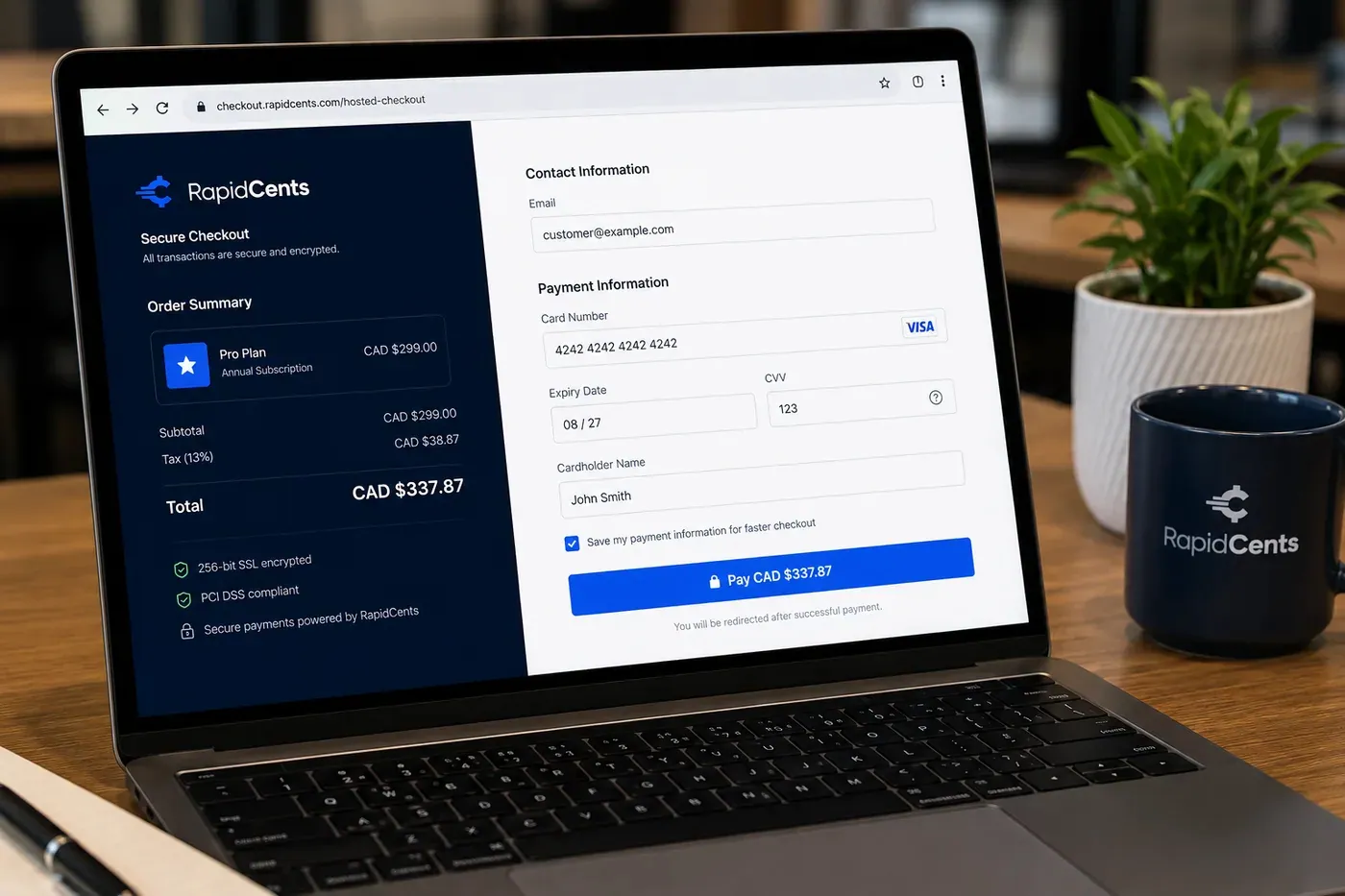
A RapidCents online checkout in a browser, with contact and card fields on the left and an order summary on the right showing the subtotal, tax and total, plus the accepted card brands. Online Payments
RapidCents online payments combine gateway APIs, hosted checkout pages, payment links and 3-D Secure…
Explore
The RapidCents payment links screen listing created links with their amount, status, click count and whether they have been paid, beside a phone showing the branded page a customer opens to pay $2,500.00. Payment Links
RapidCents payment links let staff generate branded pay-by-link URLs for invoices, deposits, balances and…
Explore
A staff member takes a card payment on a RapidCents handheld terminal, with the same sale appearing on the dashboard. Mobile Terminals
RapidCents mobile terminals are battery-powered wireless devices with LTE and Wi-Fi so staff accept payments…
Explore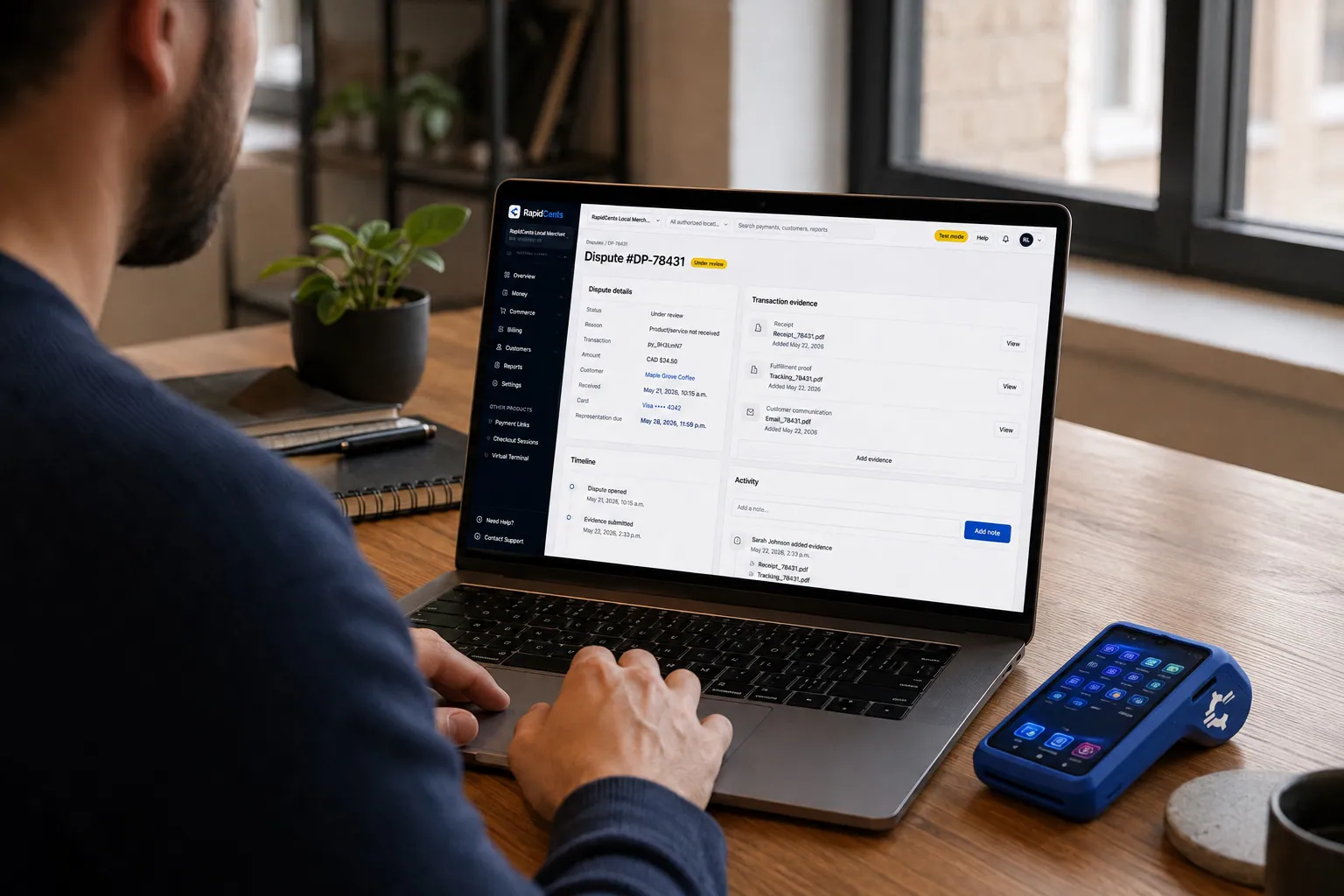
A merchant works a RapidCents dispute case on the dashboard, with the original terminal sale still on the desk. Disputes
RapidCents disputes centralizes chargeback notifications, response deadlines and evidence upload in an inbox…
Explore


Can guides collect add-ons and tips on site?
Yes. Guide field payments run on a Mobile Terminal or Tap to Pay on a supported phone, and each sale is tagged to the departure so add-ons and tips reconcile separately from the deposits you already collected. Your RapidCents representative helps you choose the right setup for your guides.
Decide who carries what
Decide which guides carry a device, what they may sell and who stores it overnight. Your RapidCents representative will explain the user permissions available, and you can agree a reference format such as departure date plus guide initials so every field sale is easy to find.
No signal, shared devices, wrong departure
Expect dead zones at trailheads or on the water, a shared device left behind, or a tip added to the wrong departure. Ask your RapidCents representative how your devices behave without signal before you rely on them, and close out the day's sales before the guide leaves.
Zip-line photos on the platform
Say a zip-line guide sells three photo packages and two helmet-cam rentals on the platform, tapping each guest's card on the Mobile Terminal. At the office the manager matches the five sales to that day's departure in the report.
How do you compare tour operator merchant services fees?
Compare adventure tour credit card processing on your real mix of cards, ticket sizes and channels. RapidCents prices on interchange-plus: interchange at cost, your RapidCents markup in your Fee Schedule, and fees for equipment or services if applicable, month to month with no fixed term.
What drives the cost
Premium and foreign-issued cards from visiting guests, keyed phone bookings versus tapped field sales, and large deposits versus small add-ons all change interchange. Card type and how the card is taken matter, so a tour mix differs from a retail mix.
What to bring to a comparison
Bring recent processing statements, your split between online, phone and field sales, average deposit and balance, and refund and chargeback volume after weather seasons. Fee Check reads an uploaded statement and shows interchange separately from markup.
Questions to put in writing
Ask about equipment or service fees for Mobile Terminals, whether tips and add-ons are priced differently, and how refunds appear on your Fee Schedule. Get each answer in writing, because your pricing follows the Fee Schedule for your account.
Which booking and accounting software works with your payments?
RapidCents integrates with many major platforms through APPIE and RapidBridge, and the right option depends on your software vendor and version. Settled transactions, fees and refunds connect to QuickBooks Online and Xero, while SAP and NetSuite import settlement files.
WeTravel, TravelJoy and Travefy
These group-travel payment and advisor CRM tools often collect payments through their own checkout. RapidCents integrates with many major platforms through APPIE and RapidBridge. The right option depends on your vendor and version, and your RapidCents representative will walk you through it.
Tour booking and reservation software
Reservation software holds availability, manifests and waivers, and may bundle its own processor or name a tour booking payment gateway. Tell your RapidCents representative which system you use, and they will show you how payments, payment links and exports connect to it.
QuickBooks Online, Xero, SAP and NetSuite
RapidCents connects settled transactions, fees and refunds to QuickBooks Online and Xero, so deposits and balances post to your ledger by booking. SAP and NetSuite import settlement files. Your RapidCents representative sets this up for your edition and country.
Payment options for tour operators by country
RapidCents serves merchants in Canada and the United States. The payment methods, bank-payment options and settlement currency you can offer depend on the country of your merchant account, and your RapidCents representative will explain what applies to yours before you list a method on your booking page.
Guests paying from abroad
Guests from other countries often pay with cards issued abroad. Card acceptance, currency and any conversion options depend on your merchant account, and your RapidCents representative will explain what applies to guests booking from outside your own country.
Tax display and tour rules
Tax display, deposit rules and tour operator registration differ by country and region. Ask your accountant or adviser what your receipts and terms must show, then keep the booking reference on every payment.
How do you switch processors without losing booking history?
Switch in an order that protects open bookings: list every deposit awaiting a balance, test a sale, a refund and a deposit, then move traffic gradually. Stored cards may not move on their own, because both providers must agree before any transfer.
Inventory open bookings
List open bookings with balances due, stored cards and the guest authorization behind each, payment plans and unredeemed rebooking credits. Export them before your busy season starts, not in the middle of it.
Test, then run in parallel
Process a sale, a refund and a deposit on the new setup before moving live traffic. Keep the old processor active for refunds on trips already paid. Map each booking reference to the payment reference field.
Reconcile by departure
Match deposits to your ledger by booking and departure, and keep the old reports for audit. Once your account is approved, your RapidCents representative sets your go-live date.
Payment questions from tour and adventure operators
What is the best payment processor for a tour operator?
The best processor is the one whose terms fit how you actually take money. Compare written quotes on deposit handling for future-dated tours, refund and dispute tools, field acceptance, reporting by departure, support in your busy season, and interchange-plus pricing with a clear Fee Schedule. Your RapidCents representative will show you how each point applies to your business.
How much does credit card processing cost for a tour operator?
It depends on your card mix, ticket sizes and channels, so there is no single figure. RapidCents prices on interchange-plus: interchange at cost, your RapidCents markup in your Fee Schedule, and fees for equipment or services if applicable, month to month. Upload a recent statement to Fee Check to see interchange separated from markup.
Can my tour booking software use a different payment processor?
Often, yes. RapidCents integrates with many major platforms through APPIE and RapidBridge, so many operators keep the booking software they run today. Some platforms bundle their own processor or name a gateway, while others accept a payment link or an export. Tell your RapidCents representative which system you use, and they will walk you through the options for your vendor and version.
How can a tour operator switch processors without losing booking history?
List open bookings with balances due, stored cards with their authorizations and any rebooking credits, then test a sale, a refund and a deposit on the new setup before moving traffic. Stored cards may not transfer automatically because both providers must agree, so be ready to ask guests to re-authorize. Keep the old account open for refunds on paid trips.
Which payment options are available to tour operators by country?
Payment options for a tour operator depend on the country of your merchant account. RapidCents serves merchants in Canada and the United States, and card, bank-payment and settlement-currency options differ between them. Your RapidCents representative will walk you through the methods that fit your account before you offer them as booking options.
Can I take booking deposits on tours that run weeks or months later?
Yes, with written terms. Tours delivered weeks after payment carry more dispute risk than same-day sales, so your RapidCents representative reviews your deposit terms and delivery timing with you during onboarding. Publish the deposit amount, balance date and refund rules, and have guests agree before paying.
How should weather cancellations be refunded?
Refund them the way your published policy says, and process the refund against the original card. Options are a full refund, a partial refund for a shortened trip or a rebooking credit that guests accept. Record the weather reason on each booking and send a confirmation, because guests who hear nothing may dispute the charge instead.
Can guides collect add-ons and tips on site?
Yes. Guides can use a Mobile Terminal or Tap to Pay on a supported phone. Agree who carries devices, what guides may sell and how each sale is tagged to the departure, then reconcile field sales against the day's bookings. Ask your RapidCents representative how devices behave without signal before relying on them.
How do group bookings work when one organizer pays?
Collect from the organizer or from each guest, depending on your terms. A payment link per guest keeps each share separate, while one organizer card covers the group but makes that person the cardholder for any dispute or refund. Put the arrangement in writing, and track deposits and balances against one group booking reference.
How do you handle disputes on tours paid months in advance?
Keep evidence from booking onward: the agreed terms, itinerary, waiver, confirmation email, check-in record and any weather notice. Disputes centralizes notifications, deadlines and evidence upload, so respond before the deadline with that packet. A clear descriptor and a prompt refund under your policy can prevent some disputes, though no tool prevents all of them.
What MCC is used for tour and adventure operators?
MCC 4722 is commonly associated with this type of business. Your RapidCents representative sets the right merchant category during onboarding, based on what your business actually sells. If you sell tours, equipment rentals and lessons together, say so up front so the setup reflects your real mix of sales.
Related industries for tour operators
Travel agencies, events and ticketing, and campgrounds and RV parks share deposits, balances and weather-driven refunds. Travel agencies reselling supplier trips have different payment needs and their own industry page, while operators selling their own tours directly are covered here.
Travel Agencies
Take booking deposits, collect final balances and group installments, and match settled…
Events & Ticketing
Sell advance tickets online, take cards at the gate and concession stand, and give…
Campgrounds & RV Parks
Take reservation deposits, gate and camp store sales, monthly rent autopay and…
Nonprofits & Charities
Take one-time and monthly gifts online, sell event tickets by link and reconcile deposits…
Education
Take enrollment deposits online, run tuition installments on schedules families authorize…
Government
Take permit fees, counter payments and mailed-in payments from residents, then trace…
Membership Clubs
RapidCents collects membership dues on a schedule, takes event fees and guest passes by…
Agriculture
RapidCents helps farms invoice bulk buyers, take cards at the market stall and bill CSA…
Take the next step
Check what your tour payments really cost
Upload a recent processing statement to Fee Check and see interchange separated from markup, then compare it with your mix of online deposits, phone bookings and field sales.
- No obligation
- Payment specialists, not a call centre
- Secure statement upload



