


Payment processing for condo corporations and HOAs
Payment processing for condo corporations and HOAs lets a board or management company collect monthly common-element fees, special assessments and parking or locker charges by card, bank payment, payment link or invoice. RapidCents schedules recurring payments under owner authorization and matches every payment to a unit reference, so the treasurer reconciles by unit.

- PCI DSS Level 1
- SOC 2 Type II
- All major cards: Visa, Mastercard, Amex, Discover, UnionPay, Diners Club & PIN Debit
- Interchange-plus available
- Specialist onboarding support
How condo corporations and HOAs get paid
A condo corporation or HOA collects four kinds of payment: the regular monthly fee, a one-time levy the board has voted, charges for parking and lockers, and arrears. Each has a different payer behavior, trigger and record, so each is best collected under its own reference.
Monthly condo fees and HOA assessments
Each owner pays the same common-element fee or assessment on the first of the month. You collect by authorized recurring bank payment or card, tag each charge with the unit number, and finance receives a settlement report that ties deposits back to units.
Special assessment payment schedules
When the board votes a one-time levy, owners may pay in full by payment link or follow a schedule of collection dates. The schedule is a collection plan set by the board, never a loan, and each installment keeps the assessment reference.
Matching a resident payment to a unit
Owners pay from a payment link, invoice or a tenant's card, and the unit reference travels with the charge. Reports list payments by unit and payer, so the manager can post each one to the right owner ledger.
Parking and locker fees
A parking stall, storage locker or bike room key is billed as its own invoice or recurring line, apart from common-element fees. Keeping them separate lets the board report each revenue stream and refund a charge without disturbing the owner's regular dues.
HOA assessment payment processing: how monthly fees get collected
HOA assessment payment processing means collecting every unit's monthly fee on the same date, from a payment method the owner has authorized, and recording it against the unit. RapidCents does this with Recurring Payments, Bank Payments and Payment Links, then reports settled deposits so the treasurer can reconcile to the owner ledger.
How the monthly run works
The owner signs an authorization naming the amount, the first-of-month date and how to cancel. RapidCents then creates a recurring schedule on a stored card or bank account. On each date the charge runs, the owner is notified, and the result lands in your reports by unit reference.
What to set up first
Collect authorization before you store any card or bank account, and keep a copy with the unit file. When the board raises the monthly fee, give owners notice and obtain agreement to the new amount before the next charge. Owners who prefer a one-off payment keep a payment link.
A 60-unit townhouse association, $350 a month
A declined card is retried on a schedule you set, and the owner is asked to update it. A failed bank payment returns to the manager as a return. Say a 60-unit townhouse association with a $350 monthly fee sees 60 scheduled charges, a few returns and one refund, each tied to a unit.
How do you set up condo fee recurring payments and special assessment payment plans?
Condo fee recurring payments repeat the same charge on the same date, while special assessment payment plans split a one-time levy into dated installments the board has set. Both are collection schedules under owner authorization, and Recurring Payments keeps each schedule under its own reference, apart from regular dues.
Keep the levy separate
Create a distinct schedule or Invoicing record for each special assessment, named for the project and the resolution date. Regular monthly fees continue untouched, so the auditor sees operating dues and levy collections as separate lines at year end.
Get agreement on the terms
Owners agree in writing to each installment amount, date and how to cancel or pay early. RapidCents collects on that schedule only. It does not lend money or advance the levy to the owner, and the board decides which owners may use a plan.
A $4,800 roof levy when a unit sells
When a unit sells, stop its schedule and invoice the remaining balance to the closing agent under the same assessment reference. Say a $4,800 roof levy in six installments pauses at installment four: the unpaid balance moves to one payment link.
RapidCents products for condo corporations and HOAs
Recurring Payments, Bank Payments, Invoicing and Reporting cover the collection cycle: scheduled fees, levies billed by invoice, and unit-level records for the treasurer. Your RapidCents representative shows you how they fit your building.

The RapidCents recurring payments screen showing active subscriptions, monthly recurring revenue, failed payments and upcoming renewals, above a list of subscriptions with their plan, amount, frequency and next billing date. Recurring Payments
RapidCents recurring payments manage subscription plans, membership renewals and installment schedules with…
Explore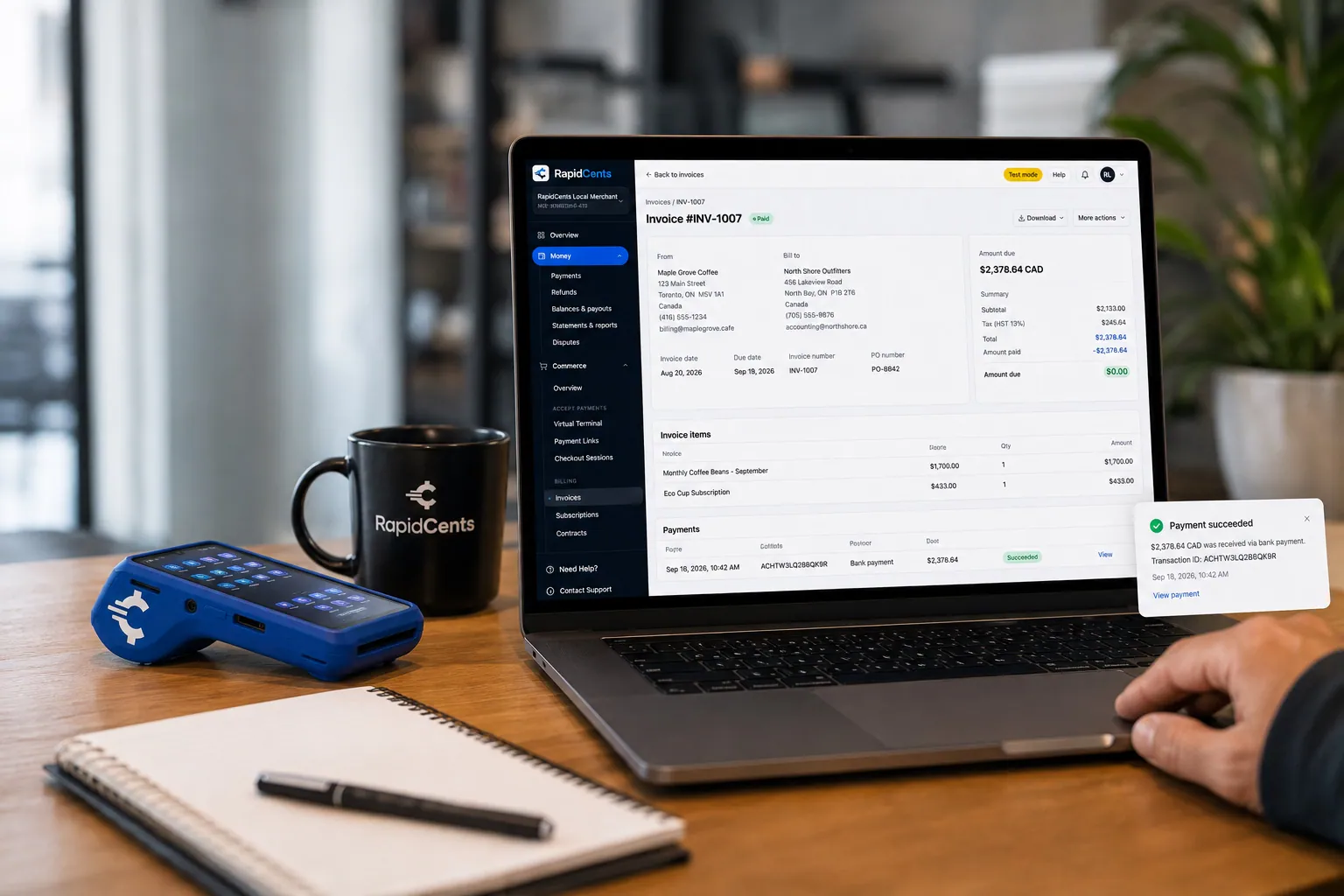
A merchant invoices a customer for bank debit through RapidCents, with card terminal capture available on the same desk. Bank Transfer / Bank Payments
Bank payments suit recurring and high-value invoices where card fees are the wrong tool. Collect directly…
Explore
The RapidCents invoices screen: outstanding, overdue, paid and draft totals across the top, the invoice list below them, and a preview of one invoice on the right with its line items and a View & Record Payment button. Invoicing
RapidCents invoicing helps professional services, contractors and B2B suppliers create branded invoices…
Explore
A merchant reviews RapidCents reports for volume, mix and payouts, with the terminal that took the sales on the desk. Reporting
RapidCents reporting delivers customizable transaction, settlement and fee reports with CSV and PDF export…
Explore


Condo resident payment portal: unit matching, parking and arrears
A condo resident payment portal gives each owner one place to pay by unit, whether for fees, parking or a levy. RapidCents offers Payment Pages, Payment Links and Invoicing that carry a unit reference, so every payment matches the right owner and overdue balances are collected openly.
Match every payment by unit
Require the unit number and owner name on every payment page and invoice. RapidCents reports carry that reference with each settled payment, so the manager can post it to the correct ledger and spot a payment sent for the wrong unit before the month closes.
Bill parking and lockers on their own line
Bill stalls, lockers and bike storage on their own invoice or schedule, so a refund or cancellation never disturbs common-element fees. A stall rented to a tenant becomes a separate recurring line the manager can end when the arrangement does.
HOA delinquent dues payment collection
Send an invoice with a payment link for the arrears, showing the dues, any late charges your governing documents allow, and a collection schedule if the board agrees. RapidCents records the payment. Liens, notices and legal steps stay with your counsel and management software; this is not legal advice.
How do you compare payment processing fees for a condo corporation or HOA?
Cost depends on how owners pay, not on the size of the building alone. RapidCents prices every account on interchange-plus: interchange passes through at cost, your RapidCents markup sits in your Fee Schedule, and fees for equipment or services apply if relevant. It is month to month with no fixed term, so compare quotes on your own payment mix.
What drives the cost
Debit, credit, rewards and commercial cards carry different interchange, and a keyed or online payment costs differently from a tapped or inserted one. A building that collects mostly by bank payment has a different mix from one paid by owner cards online.
What to bring to a comparison
Bring recent processing statements, monthly fee volume, number of units, average payment, the split between card and bank payments, and the refunds and disputes you saw. Ask each provider to itemize interchange, markup, platform and any equipment or service fees.
Use Fee Check
Upload a statement to Fee Check to see interchange separated from markup, then compare written quotes line by line on the same payment mix. Whether the board passes any card cost to owners is a governing-document and local-rule question, so check both before you set one.
Will RapidCents work with Condo Control, Yardi, Buildium, CINC Systems and TOPS ONE?
RapidBridge works with Condo Control and Buildium, so a card payment posts inside the software you already run, with no change to it. For Yardi, CINC Systems and TOPS ONE, RapidCents integrates with many major platforms through APPIE and RapidBridge, and your RapidCents representative walks you through the option for your version. QuickBooks Online and Xero receive settled transactions, fees and refunds.
Condo Control
Condo Control manages resident requests, amenity bookings and fee records for condo buildings. RapidBridge works with Condo Control, so a payment taken through RapidCents posts against the resident and fee record you already have open, and the software itself stays as it is.
Yardi and Buildium
Yardi and Buildium are property management platforms that post owner payments to ledgers. RapidBridge works with Buildium, so a card payment lands on the owner account you have open. For Yardi, the right option depends on your version, and your RapidCents representative will walk you through it.
CINC Systems and TOPS ONE
CINC Systems and TOPS ONE run association accounting and owner portals. RapidCents integrates with many major platforms through APPIE and RapidBridge; the right option depends on your vendor and version, and your RapidCents representative will walk you through it.
Payment options for condo corporations and HOAs by country
RapidCents serves merchants in Canada and the United States. Payment methods, bank-payment options and settlement currency follow the country of your merchant account, and your RapidCents representative walks you through the setup before you announce a payment method to owners.
Bank payments
The bank-payment route for a monthly fee run differs by country, as do the authorization forms owners sign. Your RapidCents representative tells you which bank-payment option fits your account.
Cards and settlement
Visa, Mastercard and American Express are widely accepted, but debit networks and the settlement currency follow your account's country. Your RapidCents representative explains both before you publish payment instructions to owners.
How do you switch processors and reconcile condo payments?
Once your account is approved, switching works best as a short list of inventories and tests, run before any owner is moved. List authorizations and schedules, test a sale, a refund and a levy payment, run both providers in parallel, and reconcile deposits to the owner ledger. Token portability is never promised; both providers must agree.
Inventory first
List every owner with a stored card or bank authorization, each recurring schedule, open invoices, pending refunds and open special assessments. Note who authorized what and when, because you may need fresh owner consent for the new provider.
Test, then move
Run a test sale, a test refund and a test levy installment on the new setup. Move one building or one batch of owners first, keep the old schedules running until the new ones are confirmed, and avoid charging any unit twice.
Reconcile to the owner ledger
Map each payment reference to the unit ledger, then compare settled deposits, fees and refunds to your bank statement and the board's monthly report. For example, 60 scheduled fees should match 60 unit postings plus any returns before you close the month.
Payment questions from condo corporations and HOAs
What is the best payment processor for condo corporations and HOAs?
The right processor matches how your owners pay. RapidCents covers recurring bank payments, cards, payment links and Invoicing, with reporting by unit so the treasurer reconciles each payment to its owner. We price on interchange-plus and itemize interchange, markup and any equipment or service fees. Upload a statement to Fee Check, then compare our written quote with what you pay today.
How much does credit card processing cost for condo corporations and HOAs?
It depends on your card mix, payment size and channel, so a single number would mislead. We price every account on interchange-plus: interchange passes through at cost, your RapidCents markup is in your Fee Schedule, and fees for equipment or services apply if relevant. Upload a recent statement to Fee Check to see interchange separated from markup.
Does RapidCents work with Condo Control?
Yes. RapidBridge works with Condo Control, so RapidCents payments post inside the Condo Control screens you already use, without changing the software. Tell your RapidCents representative which edition you run, and they will show you how payments, receipts and unit references connect to it.
How can condo corporations and HOAs switch processors without losing payment history?
Keep your own records of payment history and move only what both providers agree to move. List stored cards, owner authorizations, open invoices, refunds and transaction references, export history from the old provider, and test a sale, refund and levy payment on the new setup. Token portability is never assumed; owners may need to authorize again.
Which payment options are offered to condo corporations and HOAs in Canada and the United States?
Payment options for condo corporations and HOAs follow the country of the merchant account. RapidCents serves merchants in Canada and the United States, and each country has its own bank-payment option, debit networks and settlement currency. Card payments and payment links work wherever your account is set up for them. Your RapidCents representative explains what applies to you before you tell owners how to pay.
How can we collect monthly condo fees or HOA assessments?
Set up a recurring schedule per unit under a signed owner authorization. RapidCents Recurring Payments runs the charge on your date by stored card or bank payment, retries a failed card, and reports the result by unit reference. Refunds are recorded against the original payment. Your property software still keeps the owner ledger and any late charges.
How can we offer a special assessment payment schedule?
Create a separate schedule or invoice for the levy with dated installments the board has set. Owners authorize each amount, date and cancellation term, and RapidCents collects on that schedule. It is a collection schedule, not a loan. Keep the levy under its own reference so reports show it apart from monthly fees.
How can we match a resident payment to the correct unit?
Require a unit number on every payment page, invoice and payment link, then keep that reference through to settlement reports. RapidCents reports carry the reference with each payment, refund and fee, so the manager can post to the correct owner ledger. Your property software handles ledger posting; RapidCents handles the payment record.
How can we collect parking and locker fees separately?
Bill each as its own invoice or recurring schedule with a distinct reference, such as stall 14 or locker 3. This keeps common-element fees untouched when a tenant leaves or a refund is due. RapidCents Invoicing and Recurring Payments support separate lines, and Reporting lets the board see each stream on its own.
How can we deal with failed payments and arrears transparently?
Tell owners what failed, why and what happens next, using the same message for every unit. RapidCents retries a failed card on a schedule you set and notifies the owner; you can send an invoice with a payment link for arrears. Fees, liens and legal steps follow your governing documents and counsel.
What MCC is used for condo corporations and HOAs?
MCC 6513 is commonly associated with this type of business. RapidCents sets the correct merchant category with you during onboarding, based on what your corporation or association actually collects. If you also run a separate activity, such as a rentable amenity, tell your RapidCents representative so it is classified properly.
Related industries
Chambers of commerce, professional associations, coworking spaces and childcare programs share condo fee workflows: recurring dues, separate one-off charges and per-member records. Browse a related industry to compare how each handles them.
Chambers of Commerce
Collect membership dues, event registrations and sponsorship invoices in one place, with…
Professional Associations
Take annual dues, exam fees, course registrations and employer invoices in one place…
Labour Unions
RapidCents helps union treasurers collect dues, initiation fees and arrears by card or…
Coworking Spaces
Bill desk memberships on a schedule, sell day passes online and charge meeting-room hours…
Subscription Boxes
Charge subscribers on your ship schedule, recover failed renewals before boxes are…
Religious Organizations
Take lobby giving, online gifts, recurring pledges and event fees on one account, with…
Sports Leagues & Clubs
RapidCents helps league administrators and club treasurers collect registration fees…
Summer Camps
Collect booking deposits, spread tuition across payments before the session, add canteen…
Take the next step
Review your condo or HOA payment costs
Upload a recent processing statement to Fee Check and see interchange separated from markup before the board votes on a change.
- No obligation
- Payment specialists, not a call centre
- Secure statement upload



