


Escape room payment processing for deposits and team events
Escape room payment processing means taking deposits when groups book, collecting balances at the desk, charging add-ons and invoicing companies for team events. RapidCents covers all of it with Online Payments, Payment Links, Countertop Terminals and Invoicing, and every booking keeps a payment record that finance can match to the room and time slot.

- PCI DSS Level 1
- SOC 2 Type II
- All major cards: Visa, Mastercard, Amex, Discover, UnionPay, Diners Club & PIN Debit
- Interchange-plus available
- Specialist onboarding support
How escape rooms get paid
Escape rooms get paid in four ways: a deposit that holds the time slot, a balance collected when the group arrives, add-ons chosen at the desk, and invoices for companies booking team events. These escape room booking payments each use a different RapidCents product and leave a record your manager can match to the booking.
Group deposits
The team captain books a slot and pays a deposit that holds the room. You collect it through Online Payments or a payment link sent by email or text. If the group cancels, your booking terms decide the refund. Finance sees the deposit tied to the booking reference.
Balances at the desk
Players arrive, the host opens the booking and takes the remaining balance on a countertop terminal by tap, chip or swipe. Late additions change the amount owing. A printed or emailed receipt closes the booking, and the terminal sale appears in the same dashboard as the deposit.
Participant add-ons
Extra players, photo packages, hint upgrades and merchandise are chosen on the day. The host adds each as its own line on the booking and takes the payment at the desk. If a customer returns an item, the refund goes back to the original card.
Corporate team-event invoices
A company books a private session for its staff and asks for an invoice. You send it from Invoicing with a payment link for the authorized payer. Status moves from sent to paid, and the purchase order number stays on the record for accounts payable.
How do escape rooms take a group deposit and collect the balance?
An escape room takes escape room group deposits when the booking is made, then collects the balance when the group arrives or through a second payment link. Both payments carry the same booking reference, so the deposit is credited against the final amount and finance sees one booking with two payments.
How the two payments run
The team captain picks a room and time, then pays the deposit through Online Payments or a payment link. A receipt goes out by email or text. On game day, your host opens the booking and takes the balance on a countertop terminal, or the captain pays a second link before arriving.
Set the terms first
Write your deposit terms before you send the first link: what the deposit holds, whether it moves to another date and the last time to change a booking. Keep a card for the balance only with the captain's authorization. If a group shrinks, refund or credit the difference under your terms.
A $120 deposit, then two late friends
Say a captain books the Saturday 7 pm slot for six players with a $120 deposit by payment link. Two friends join late, so the host adds them to the booking and takes the remaining balance on the terminal. Both payments show under one booking reference.
How can a company pay an escape room team-event invoice?
A company pays a team-event invoice through an authorized payer: the person who approved the booking receives an invoice with a payment link and pays with an enabled payment method. The invoice carries the purchase order number, event date and headcount, so accounts payable can match it without calling you.
How the invoice runs
Send the invoice from Invoicing with the company's legal name, the event date, the headcount and the purchase order number if one is used. The payer gets a payment link by email. Status moves from sent to paid, and the receipt goes to the contact named for accounts payable.
Find out who may pay
The employee who booked may not hold the company card. Ask for the approver's name and billing contact, and let them open the link themselves; never take card details over chat or email. If the headcount changes, issue a revised invoice or a credit under your terms.
A $900 invoice for an office of twenty
Say an office of twenty books a team-building morning across two rooms and asks for a $900 invoice with a purchase order number. The organizer sends the link to the finance contact, who pays with a company card two days later. The invoice shows paid and is filed under the order number.
RapidCents products for escape rooms
Online Payments and Payment Links take deposits before the visit, Countertop Terminals take balances and add-ons at the desk, and Invoicing handles company team events. Escape room merchant services from RapidCents put every booking payment in one Merchant Dashboard.
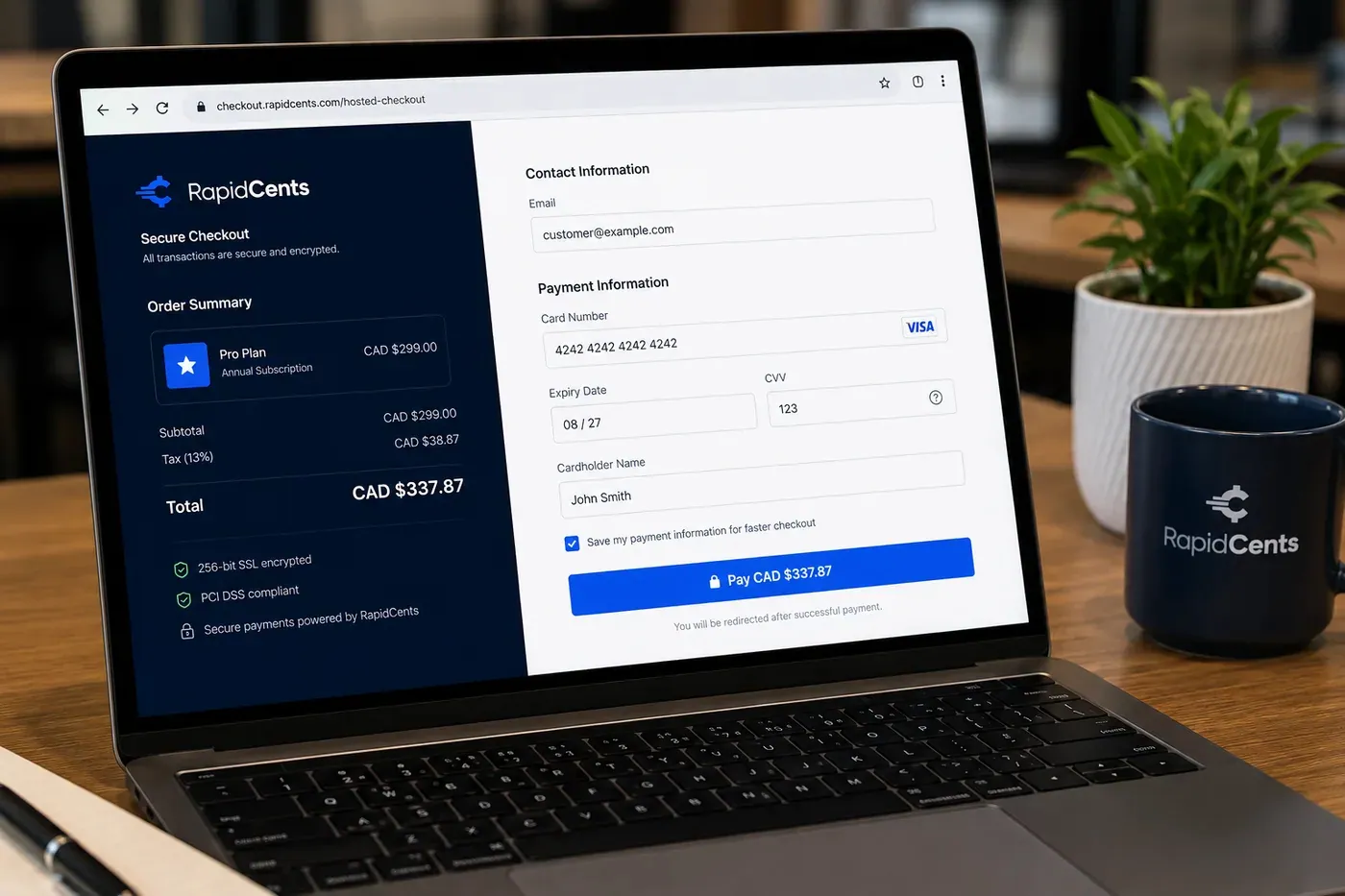
A RapidCents online checkout in a browser, with contact and card fields on the left and an order summary on the right showing the subtotal, tax and total, plus the accepted card brands. Online Payments
RapidCents online payments combine gateway APIs, hosted checkout pages, payment links and 3-D Secure…
Explore
The RapidCents payment links screen listing created links with their amount, status, click count and whether they have been paid, beside a phone showing the branded page a customer opens to pay $2,500.00. Payment Links
RapidCents payment links let staff generate branded pay-by-link URLs for invoices, deposits, balances and…
Explore
A fixed RapidCents countertop terminal taking card payments at the till, with settlement visible on the dashboard. Countertop Terminals
RapidCents countertop terminals sit at retail counters, restaurant hosts and reception desks where speed and…
Explore
The RapidCents invoices screen: outstanding, overdue, paid and draft totals across the top, the invoice list below them, and a preview of one invoice on the right with its line items and a View & Record Payment button. Invoicing
RapidCents invoicing helps professional services, contractors and B2B suppliers create branded invoices…
Explore


How do escape rooms handle no-shows, late arrivals and rebooking?
Escape rooms handle no-shows by applying the cancellation terms the group agreed to when it paid the deposit. The payment record, booking time and confirmation message show what was agreed, so you can keep, move or refund the deposit and explain the decision if the cardholder questions it.
Show terms at payment
Show your terms at payment and repeat them in the confirmation. Say how late a group may arrive before the room is released, how many players can be added or removed and until when, and what happens to the deposit if nobody comes. A clear policy is your strongest evidence in a dispute.
Rebooking, refunds and disputes
When a group asks to rebook, move the deposit to the new slot rather than refunding and charging again, where your terms allow. A refund returns to the original card from the Merchant Dashboard. If the cardholder files a dispute instead, gather the booking, terms and confirmation before the deadline.
A group of six, forty minutes late
Say a group of six has a $90 deposit for a 6 pm slot and arrives forty minutes late. Your terms release the room after fifteen minutes. The host offers the 9 pm slot, moves the deposit to it and notes the change on the booking, so the payment record matches what happened.
How do you compare escape room credit card processing costs?
Escape room credit card processing cost depends on your card mix and how cards are taken. RapidCents prices every account on interchange-plus: interchange passes through at cost, your RapidCents markup is set out in your Fee Schedule, and fees for equipment or services apply if relevant. It is month to month with no fixed term.
What drives your cost
Debit, credit, premium and commercial cards carry different interchange, and a card tapped or inserted at the desk is priced differently from one keyed in or paid online. A venue with mostly online deposits has a different mix from one that relies on walk-in groups.
Group-booking costs
Group bookings add high-value corporate cards, deposits refunded after cancellations and disputes over no-shows. Include refund and dispute volume in your comparison, because it changes what a processor really costs you over a season.
What to bring to Fee Check
Bring recent processing statements, your split between online and desk payments, your average booking value, and refund and dispute counts. Upload a statement to Fee Check, which separates interchange from markup. Compare written quotes line by line, including equipment fees.
Which booking and ticketing software can work with escape room payments?
RapidCents integrates with many major platforms through APPIE and RapidBridge, so most escape rooms keep the booking software they run today. The right option depends on your software vendor and version, and your RapidCents representative will walk you through it, including a payment link used beside the software.
ROLLER and Aluvii
ROLLER is attraction management software and Aluvii is an attraction POS. Tell your RapidCents representative which one you run, and which edition, and they will show you how deposits, balances and refunds connect to it through APPIE or RapidBridge.
accesso, Gateway Galaxy and CenterEdge
accesso and Gateway Galaxy provide attraction ticketing, and CenterEdge provides attraction management. Some of these products bundle their own payments, so your representative will talk you through the setup that fits your version, including a payment link used beside the software.
QuickBooks Online, Xero, SAP and NetSuite
RapidCents connects settled transactions, fees and refunds to QuickBooks Online and Xero, and SAP and NetSuite import settlement files. Carry the booking reference through, so deposits and balances reconcile cleanly.
Payment options for escape rooms by country
RapidCents serves merchants in Canada and the United States. The payment methods, bank-payment options and settlement currency an escape room can use follow the country of its merchant account, and your RapidCents representative lays out the details for yours.
Cards and bank payments
Credit and debit cards work at the desk, online and by payment link. Bank payments for team-event invoices depend on your country and on what is enabled on your account.
Currency and settlement
The currency in which sales settle follows the country of your merchant account. Talk to your RapidCents representative about methods, currencies and receipt details before you publish prices or invoice a company.
How do you switch escape room processors and reconcile deposits?
Once your account is approved, you switch by listing what is open first: upcoming bookings with deposits, unpaid balances, open invoices and any stored cards. Test a booking, a refund and an invoice on the new setup, run both in parallel for a short period, then reconcile deposits to your ledger.
Inventory what is open
List future bookings with deposits paid, balances owing, invoices sent and any cards kept for later charges. Stored cards do not move on their own, and both providers must agree to any transfer, so plan to ask customers to authorize the new setup again if they do not.
Test, then run in parallel
Before live traffic, take one deposit by link, one balance at the terminal, one refund and one invoice payment. Keep the old setup for bookings already taken until their dates pass, and send new bookings to the new links.
Reconcile to the booking
Match every payment to a booking reference, then match settlements to bank deposits and your accounting export. Check that fees and refunds appear on their own lines. A weekly review during the first month catches mismatches early.
Payment questions from escape rooms
What is the best payment processor for escape rooms?
The best processor is the one that fits how your bookings are paid, not a single name. Compare deposit and balance handling, refund and dispute tools, booking software compatibility, interchange-plus pricing with a written Fee Schedule, month-to-month terms and support when a group calls mid-booking. Ask each provider for a written quote and compare them line by line using your own statements.
How much does credit card processing cost for escape rooms?
The cost depends on your card mix and channels, so RapidCents does not publish a single figure. Interchange passes through at cost and varies by card type and by whether a card is tapped, inserted, keyed or paid online. Your RapidCents markup is in your Fee Schedule, plus fees for equipment or services if applicable. Upload a statement to Fee Check to see interchange separated from markup.
Can ROLLER, Aluvii or my booking software use a different payment processor?
Often, yes. Through APPIE and RapidBridge, RapidCents works alongside many booking systems, and the right option depends on your vendor and version. Some booking systems bundle their own payments, while others work with outside processors. Tell your RapidCents representative whether you run ROLLER, Aluvii, accesso, Gateway Galaxy or CenterEdge, and they will walk you through the options for your setup.
How can an escape room switch processors without losing payment history?
Export your old reports before you close the account, then move over in stages. List future bookings with deposits, unpaid balances, open invoices and stored cards. Stored cards do not transfer automatically, and both providers must agree to any token move, so you may need customers to authorize again. Test a sale and a refund before moving live bookings.
Which payment options can an escape room offer in different countries?
An escape room can usually offer cards at the desk, card deposits online or by payment link, and invoices for companies. Bank payments and the settlement currency follow the country of the merchant account, since RapidCents serves merchants in Canada and the United States. Your RapidCents representative will walk you through the options for your account before you promise a payment method to a group.
Can an escape room take a group deposit and charge the balance later?
Yes. You can collect a deposit when the group books and take the balance later at the desk or by a second payment link, with both payments tied to one booking reference. If you want to charge a stored card for the balance, you need the captain's authorization and agreed timing. Your RapidCents representative will show you how this fits your booking software.
Can a company pay an escape room team-event invoice?
Yes. Send an invoice from Invoicing with a payment link to the authorized payer, such as a finance contact or the manager who approved the event. Include the company name, date, headcount and purchase order number. The payer opens the link and pays with an enabled payment method, and the invoice status updates to paid. Keep card details out of email and chat.
Can escape room payments connect to booking software?
Yes. Which option fits depends on your vendor and version. Tell your RapidCents representative whether you use ROLLER, Aluvii, accesso, Gateway Galaxy, CenterEdge or another booking system, and they will show you how payments, deposits and refunds connect. Settled transactions, fees and refunds also flow to QuickBooks Online and Xero.
What happens to the deposit when a group cancels or does not show up?
Your cancellation terms decide, so write them before you take a deposit. Show them at payment and in the confirmation, then keep, move or refund the deposit as agreed. Refunds go back to the original card. If the cardholder disputes the charge, the booking record, terms and confirmation message are your evidence.
How do escape rooms charge for add-ons like extra players or photos?
Add the extra amount to the same booking and take it at the desk on a countertop terminal, or send a payment link if the group is not there. Keep each add-on as its own line so finance can see it apart from the deposit and the base price. Refund or adjust it the same way you would any other part of the booking.
What MCC is used for escape rooms?
MCC 7999 is commonly associated with this type of business. Your RapidCents representative settles the right merchant category with you when you apply, based on what your business actually sells. An escape room that also sells food, merchandise or other services is looked at on its full mix, so tell us about every product and service you plan to sell.
Related industries for escape rooms
Escape rooms share booking, deposit and group-payment workflows with Amusement & Attractions, the parent industry, and with other venues that sell timed slots. Those industries cover ticketing and season pass payments.
Amusement & Attractions
Take online tickets, gate and outlet card payments and season pass billing on one…
Museums & Galleries
Take timed admission online, serve walk-ups at the desk, renew memberships on schedule…
Theatres & Performing Arts
Sell seats online, run the box office window and collect season installments, donations…
Ski Resorts
Take cards at the ticket window, rental shop, ski school and lodge, sell season passes on…
Bowling & Arcades
Take cards at the lane desk, the arcade reload station and the snack bar, collect party…
Take the next step
Review your escape room payment costs
Upload a recent processing statement to Fee Check and see interchange separated from your markup, based on your deposits, desk payments and team-event invoices.
- No obligation
- Payment specialists, not a call centre
- Secure statement upload



